- DATE:
- AUTHOR:
- The folks at Scrut
View all your assigned compliance tasks (across Scrut) in one place
What's new?
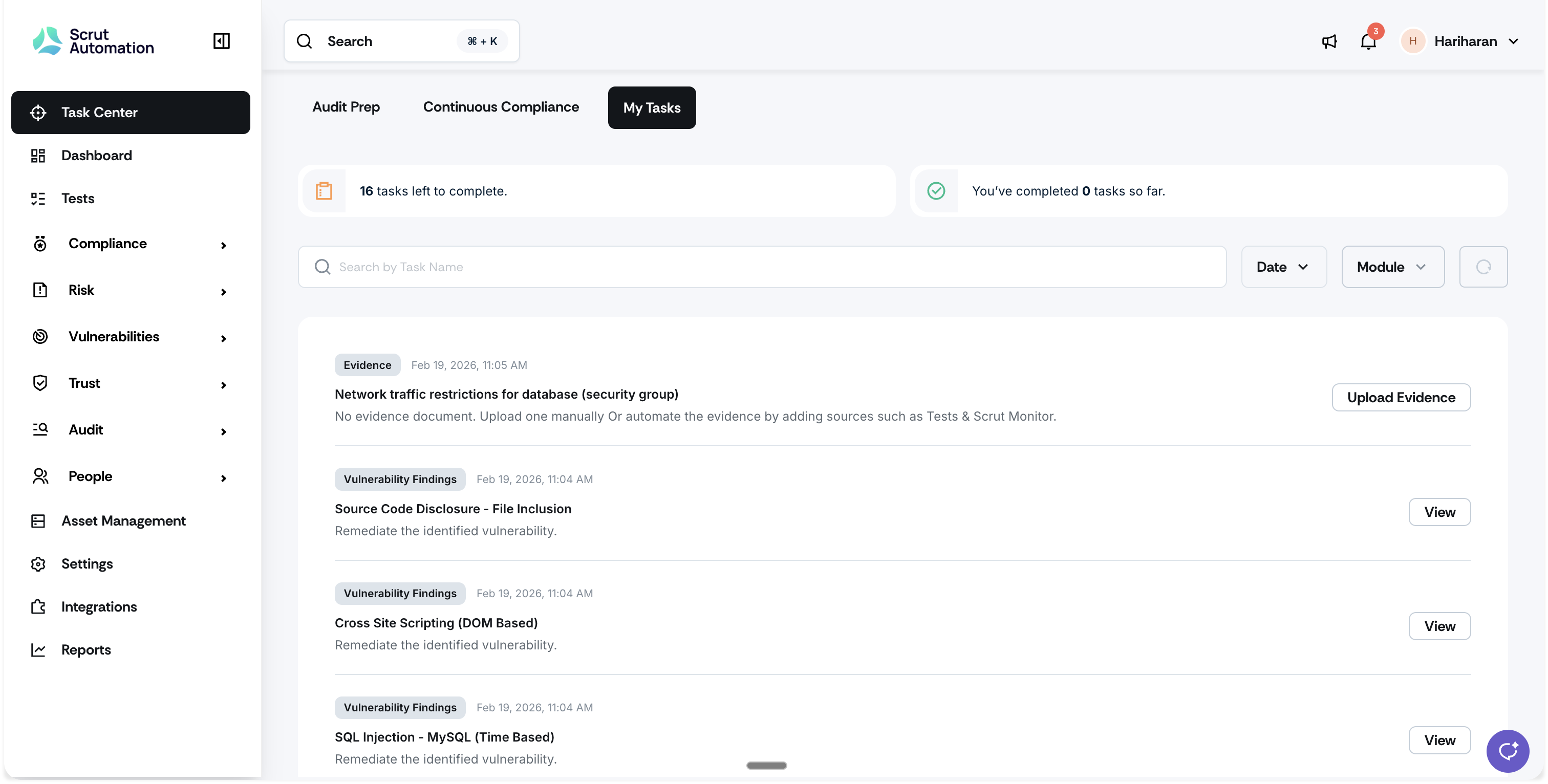
Scrut now includes a My Tasks view within Task Center. This tab brings together all compliance tasks (Policies, Evidence, Vulnerabilities, Vendors, Audit Requests, and Findings) assigned to a specific person in one place.
It does more than list tasks. Each task also includes contextual details to help users understand what the task is, what to do next, and where to go to complete it.
Why was this needed?
Until now, keeping track of your assigned work meant checking each module separately. This made it easy to miss tasks, delay evidence uploads, or lose sight of next steps, all of which slow down audit readiness.
My Tasks brings everything into one place, so you always know what needs your attention and how to act on it.
How it works
Log in to Scrut and click Task Center on the left navigation panel.
Go to the My Tasks tab to see all tasks assigned to you across Scrut.
Review the contextual metadata for each task to understand the artifact, its current status, and the next action required.
Click the CTA on any task to jump directly to the relevant artifact and complete your work.
Use filters to narrow tasks by module, assigned date, or task name.
Track your overall progress using the pending and completed task counts.
Need help?
Your Customer Success Manager (CSM) is always ready to help if you need assistance. Explore all recent product updates → View now.