- DATE:
- AUTHOR:
- The folks at Scrut
Trace sync errors faster across integrations and tests
What's new?
We’ve revamped our integration error messages to make them easier to detect, understand, and resolve. Currently, this improvement is available for a few select integrations (MS Intune, Jamf Pro, JumpCloud, Fleet MDM, NinjaOne, SharePoint, Jira) with more coming out soon.
Clear “Sync Error” status shown on the integration page (even while the integration remains connected)
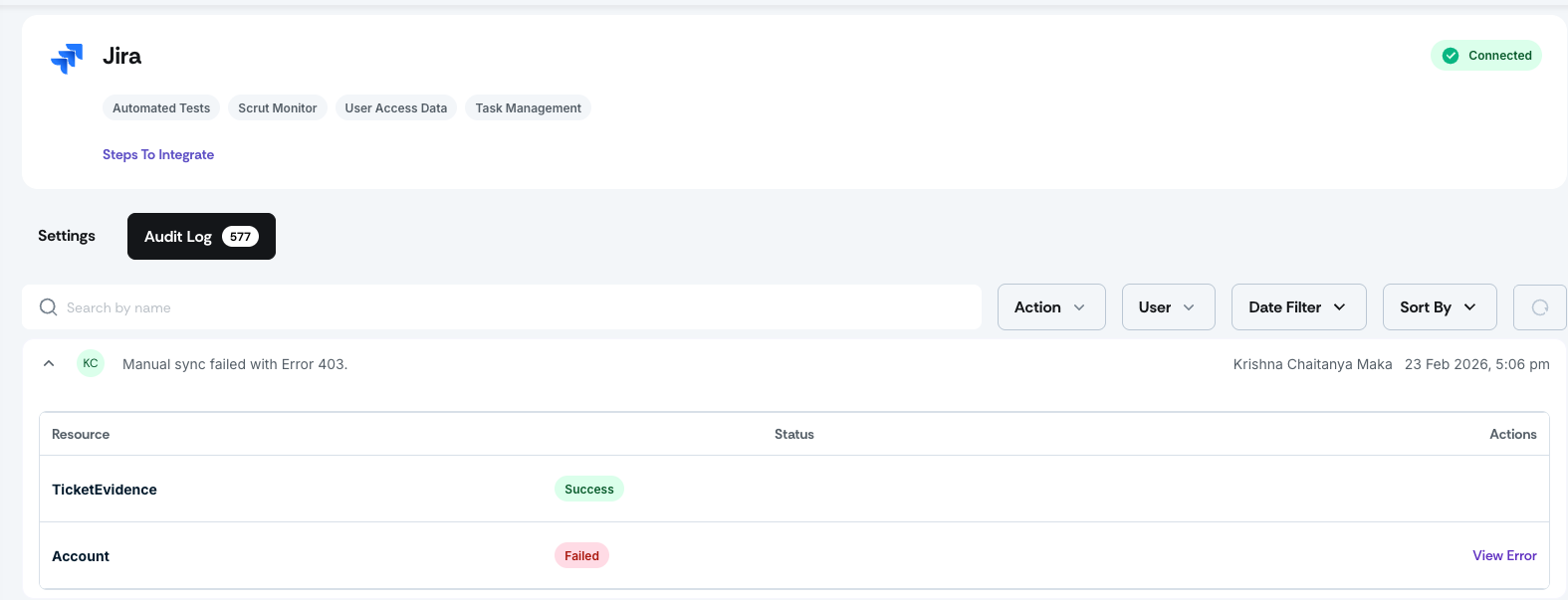
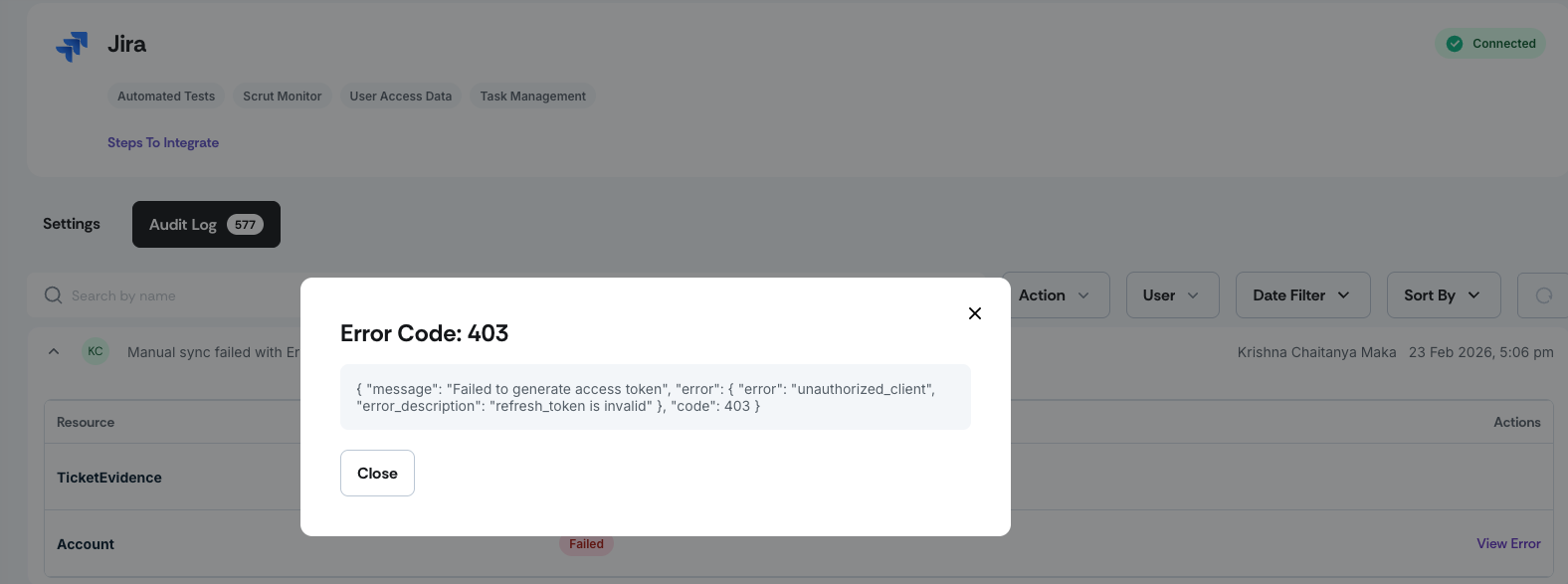
Detailed audit logs are available, including exact error codes and messages from the source, to indicate which specific API call failed.
This makes it much easier to diagnose and resolve integration issues.
Why was this needed?
Previously, when an integration encountered a sync issue, it was not always immediately visible. Tests would show stale "last checked" timestamps without a clear reason, making it difficult to tell whether a test was passing, delayed, or broken. Diagnosing the issue required manual investigation across multiple pages. This update surfaces sync errors at the point where you encounter them, whether on the integration page or within an affected test, and gives you the error context needed to resolve issues quickly or share with our support team.
How it works
Navigate to the Integrations page and check the status of your connected integrations. If a sync error occurs, a "Sync Error" status will be displayed on the integration card, even if the integration still shows as connected.
Open the integration's audit log to review the detailed error record, including the specific error code, the message returned by the source system, and the API call that failed.
Navigate to the Tests module and review your automated tests. Tests impacted by an integration failure will now show a sync error indicator instead of only a stale timestamp.
Click the sync error indicator on an affected test to go directly to the integration causing the issue.
Resolve the error based on the audit log details, or share the error code and message with the Scrut support team for faster assistance.
Need help?
Your Customer Success Manager (CSM) is always ready to help if you need assistance. Explore all recent product updates → View now.