- DATE:
- AUTHOR:
- The folks at Scrut
Consistent approval workflows, conflict warnings, and chart behavior across modules
What's new?
We've made the following UI changes to ensure a consistent experience across modules:
Approval workflows across modules now share a common structure, with similar CTAs, modal behavior, and risk rules applied consistently.
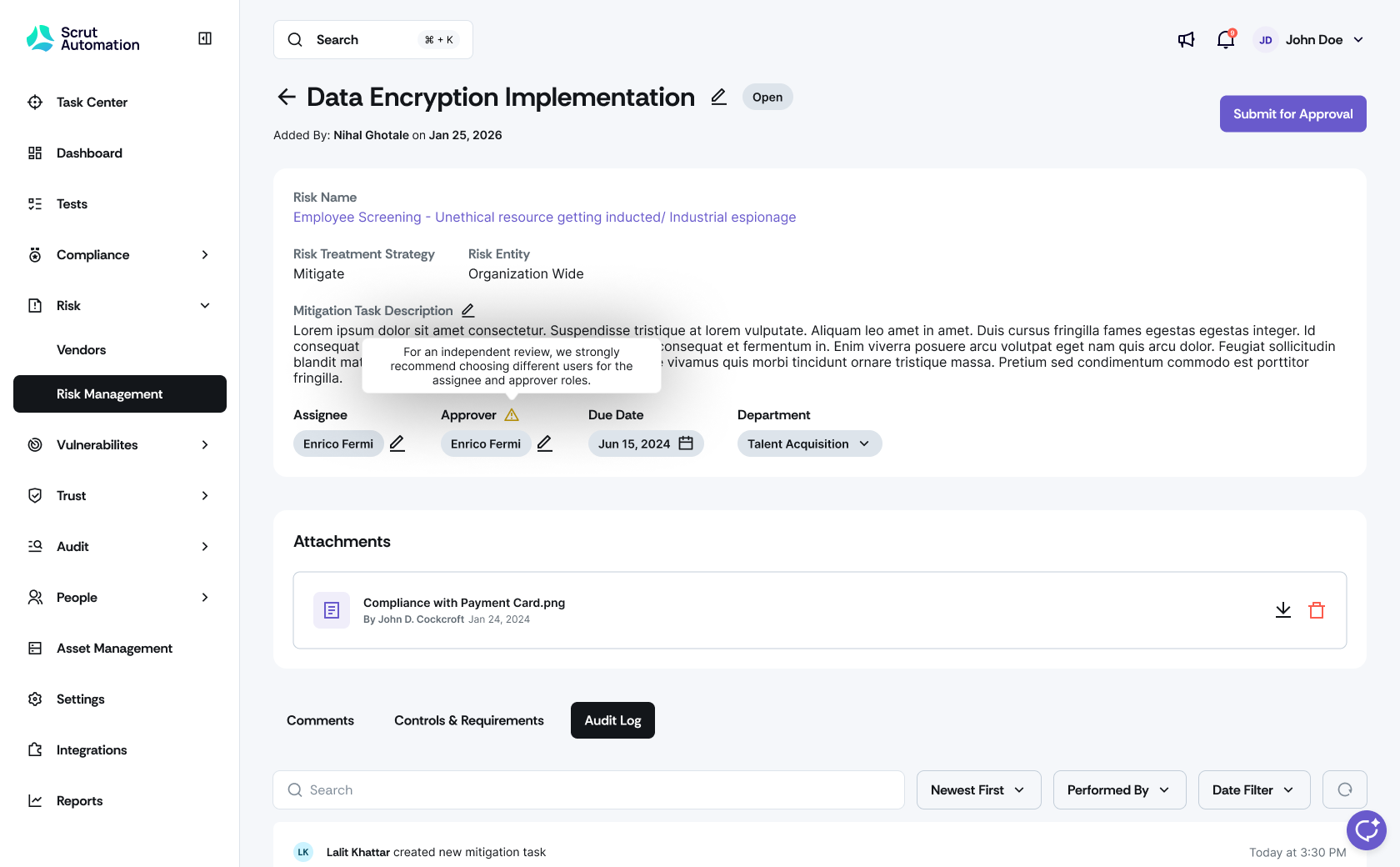
When you add the same user as both assignee and approver for a task, you will now see a warning modal urging you to reassign the task to different users to ensure an independent review.
Charts and filters across policies, evidence, risk, vulnerabilities, people, training, and access reviews now drive both visuals and tables together, with clearer behavior when filters are cleared.
Why was this needed?
Approval flows that looked and behaved differently across modules meant reviewers had to relearn patterns for each workflow. Assignee and approver collisions were easy to miss, and dashboard totals sometimes disagreed with table drill-downs. With this update, you experience a more consistent and cohesive experience across modules.
How it works
Navigate to an approval-enabled module such as Risk -> Risk Management, Risk -> Vendors, People -> Access Reviews, Compliance -> Policies, Compliance -> Evidence Task, or Vulnerabilities.
Use Submit for Approval to initiate an approval flow. Approve and request revision actions behave consistently across all supported modules.
Edit the assignee or approver role. If both roles point to the same person, a warning modal appears urging you to reassign roles to different users.
Apply filters in any supported module. Charts and tables now update together so the visual totals match the filtered list.
Need help?
Your Customer Success Manager (CSM) is always ready to help if you need assistance. Explore all recent product updates → View now.