- DATE:
- AUTHOR:
- The folks at Scrut
Eliminate compliance noise with automated device exclusion
What's new?
Devices from integrations not required by an employee’s applicable checklist are hidden from employee technical details and excluded from compliance evaluation, employee task generation, and evidence automation. When an employee’s applicable checklist changes, device visibility and compliance are recalculated on the next sync.
Why was this needed?
Previously, devices from integrations unrelated to an employee's checklist could affect their compliance status, technical details, and assigned tasks, even when those integrations were not required for their role. This created inaccurate compliance signals and unnecessary tasks.
Now, compliance is evaluated only against the controls that are actually relevant to each employee, giving you a more accurate and trustworthy picture of your organization's posture.
How it works
Devices from integrations not required by the checklist are automatically hidden from the employee's technical details.
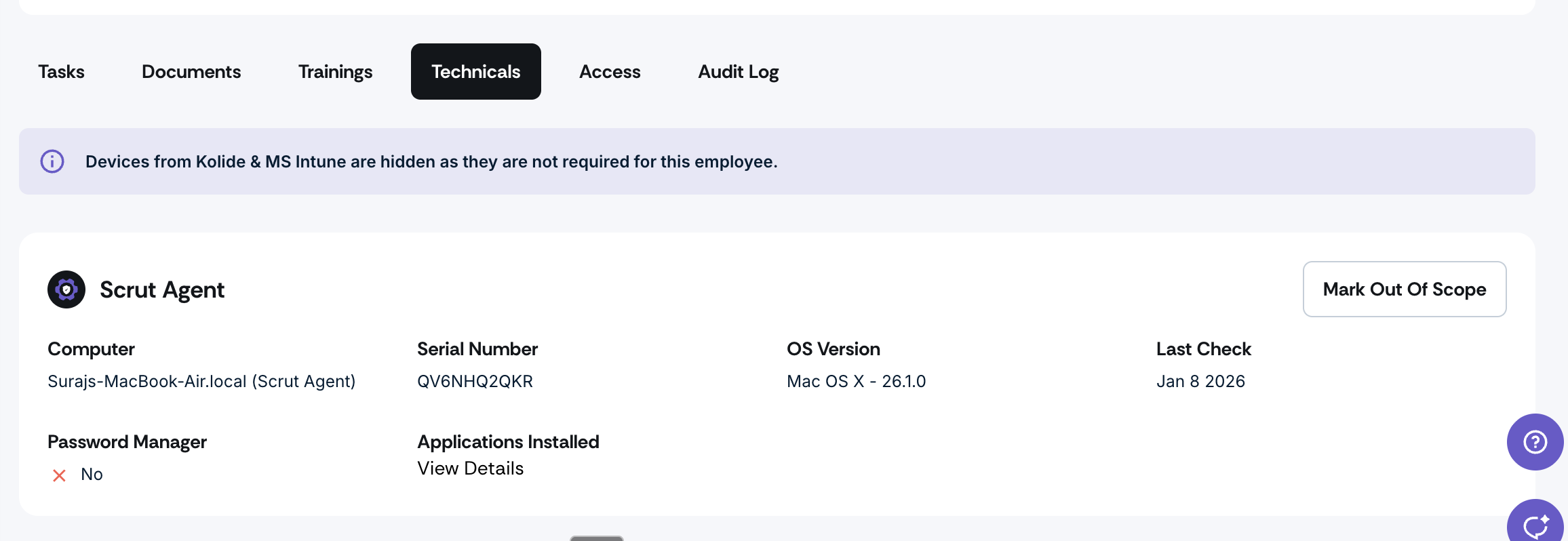
An informational message is shown when devices are hidden due to the checklist configuration.
Compliance status, evidence automation, and task generation are only applied to in-scope integrations.
When an employee's checklist changes, device visibility and compliance are recalculated automatically on the next sync.
Checklist changes are logged in the Checklist audit log.
Note: In Asset Management, all devices remain visible as a system of record regardless of the checklist scope.
Need help?
Your Customer Success Manager (CSM) is always ready to help if you need assistance. Explore all recent product updates → View now.