- DATE:
- AUTHOR:
- The folks at Scrut
Set up granular resource scoping for multi-environment AWS accounts
What's new?
You can now define precisely which AWS resources to integrate with Scrut for your connected AWS account. Configure scoping rules per AWS Role ARN using resource types, regions, tag-based filters, and an option to include or exclude untagged assets.
Why it matters
Organizations managing multiple clients or environments within the same AWS account can now include only relevant resources without creating separate accounts. This granular control improves security posture visibility, reduces noise from out-of-scope assets, and ensures compliance teams focus on what truly matters.
How it works
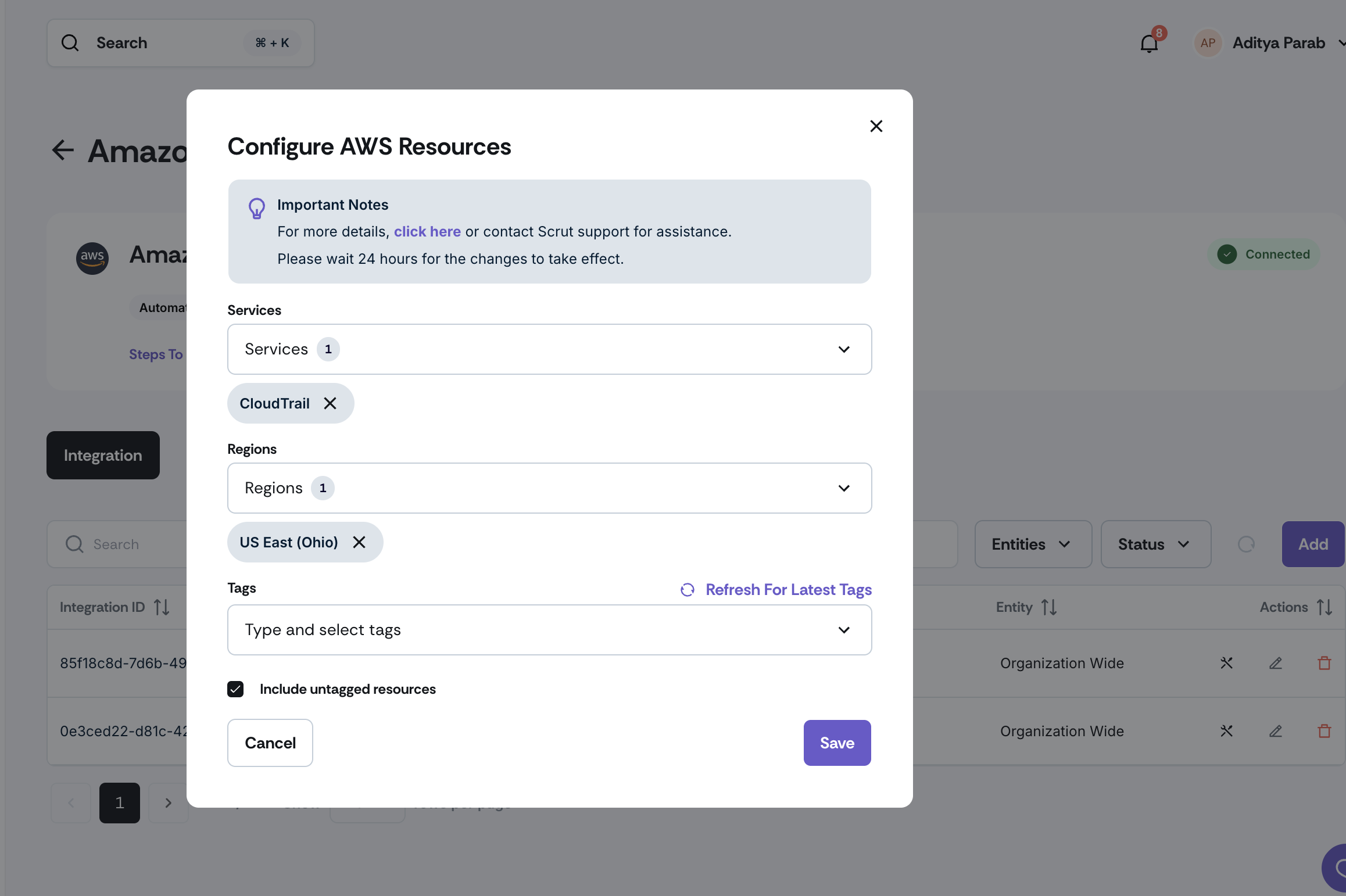
Navigate to Integrations → Connected Integrations to configure your AWS integration settings.
Select an AWS Role ARN to configure its scope.
Apply filters based on:
Resource Types: Choose specific services like EC2, S3, RDS, etc.
Regions: Multi-select from available AWS regions for global coverage
Tag-based rules: Define conditions using Key, Operator, and Value combinations
Include Untagged: Toggle on to capture assets without tags
Save your configuration. Scrut will now ingest only the resources matching your criteria
Refer to our help documentation for step-by-step instructions.
Need help?
Your Customer Success Manager (CSM) is always ready to help if you need assistance. Explore all recent product updates → View now.