- DATE:
- AUTHOR:
- The folks at Scrut
Change the layout and content order of your public Trust Portal in just a few clicks
What's new?
You can now customize your Trust Portal layout and the sorting order of items within Trust Portal sections. Drag and rearrange entire sections to control what visitors see first, and set per-section sort strategies, including newest first, alphabetical, or manual ordering.
Why was this needed?
Trust Portal sections and content lists previously followed fixed ordering, which made it difficult to lead with the frameworks, controls, or proof points that matter most to your customers and prospects. With customizable layout and sorting, your Trust Portal can reflect the story your organization wants to tell, without requiring changes to your underlying compliance data.
How it works
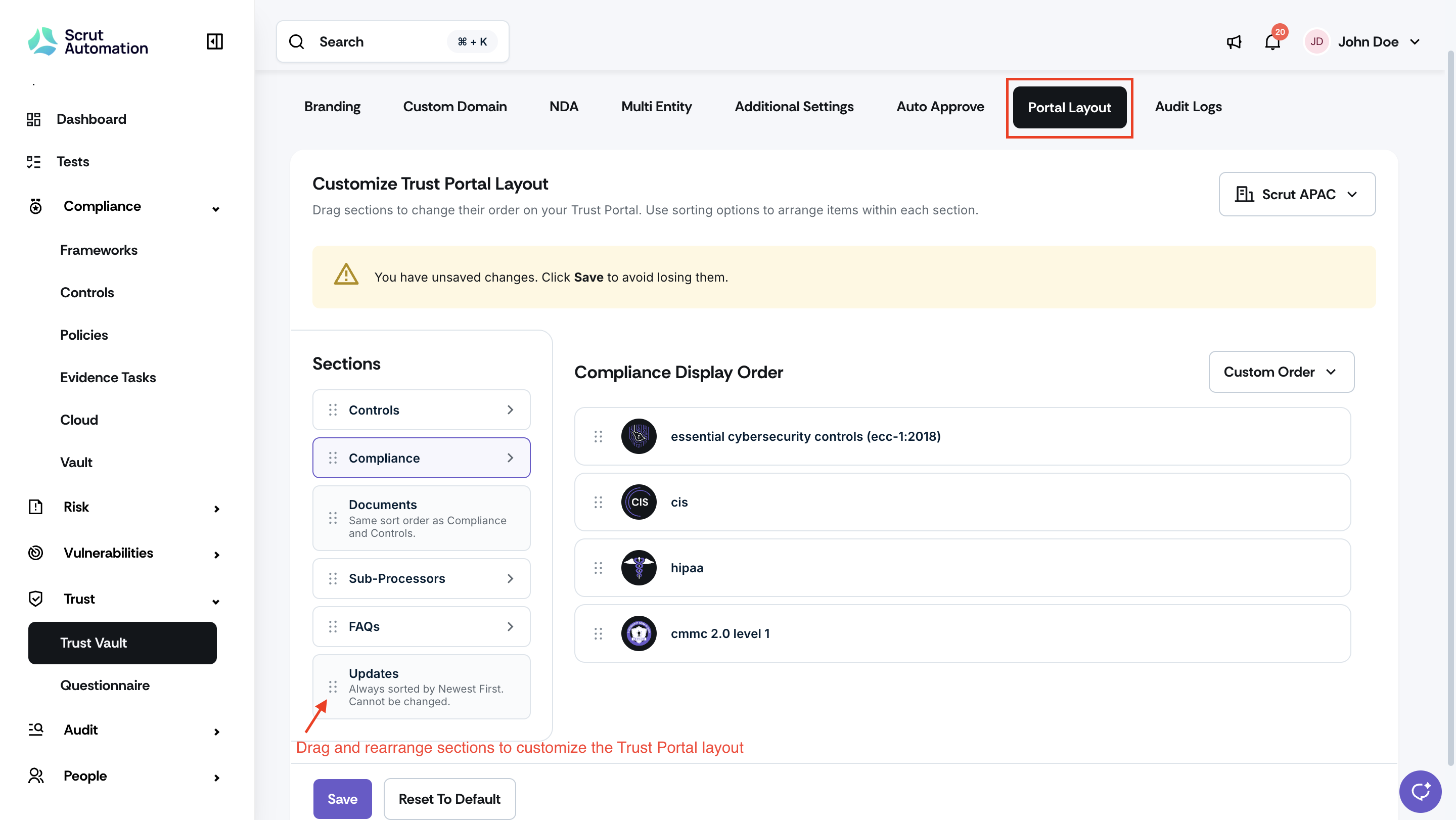
Navigate to Trust -> Trust Vault, open Settings, and go to the Portal Layout tab.
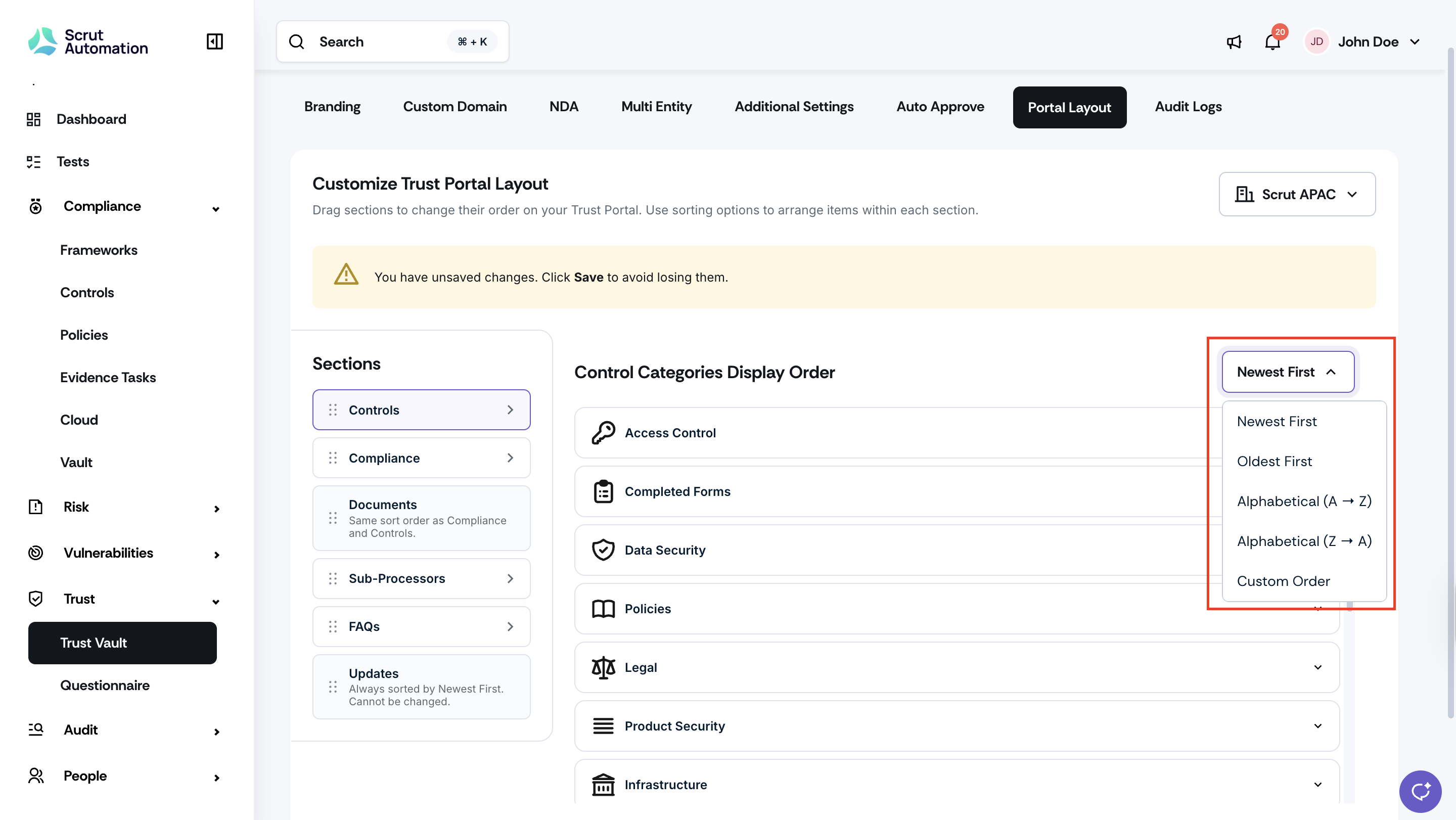
Drag sections (Compliance, Documents, Controls, Sub-Processors, FAQs, Updates) to set the order in which they appear to visitors on the public Trust Portal.
Click into a section to set its sort strategy. Options vary by section and include newest first, alphabetical, and manual ordering where applicable.
For Compliance, set the display order of your frameworks.
Documents will automatically reflect the same ordering as that of the Compliance and Controls sections.
Note: The Updates section is always sorted by Newest First and cannot be reordered.
Click Save to apply your changes.
Visitors to your public Trust Portal will see the updated layout immediately.
Need help?
Your Customer Success Manager (CSM) is always ready to help if you need assistance. Explore all recent product updates → View now.