- DATE:
- AUTHOR:
- The folks at Scrut
Manage risk approvals with a streamlined, status-driven workflow
What's new?
The risk approval workflow has been improved so that approver actions only appear when relevant, declined risks are clearly identified and cannot be acted on again until assignees make the necessary changes, and Risk Assignees can resend for approval when ready for review.
Why was this needed?
Previously, approvers continued to see Approve and Decline actions even after a risk had been declined, and Risk Assignees had no controlled way to notify approvers when a risk was ready for review. This caused confusion and delays. The improved workflow provides clear status visibility and a structured handoff between assignees and approvers.
How it works
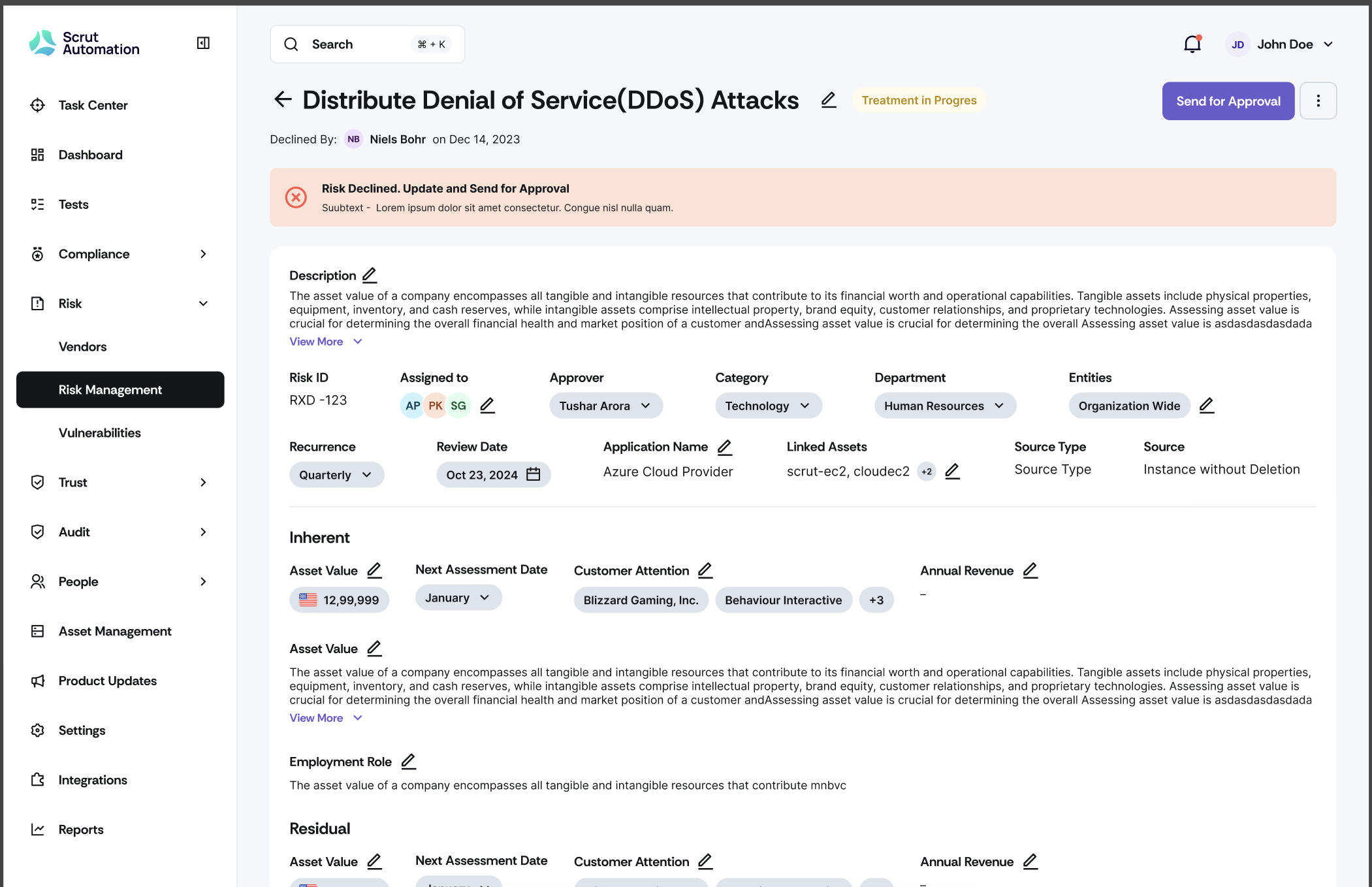
As a Risk Assignee, prepare your risk assessment and click Send for Approval when ready
Approvers receive notification and can review the risk
Approvers see action buttons only on risks that are pending approval
Declined risks are clearly marked and cannot be acted on again by approvers
If a risk is declined, the Risk Assignee can make updates and resend for approval
Need help?
Your Customer Success Manager (CSM) is always ready to help if you need assistance. Explore all recent product updates → View now.