- DATE:
- AUTHOR:
- The folks at Scrut
Track key audit activities with the unified Audit Log
What's new?
The audit-level log in the Audit Center now aggregates activity from across findings, requests, and corrective actions in a single place. This includes comment deletions from the above modules as well, which are now captured. Furthermore, the previously available detailed logs within each section continue to provide module-specific history.
Why was this needed?
Previously, audit activity was spread across separate tabs for findings, requests, and corrective actions, making it difficult to get a complete picture of what changed during an audit without visiting each section individually. Comment deletions in those areas also did not always leave a clear trace at the audit level. With the consolidated log, lead auditors and audit managers now have one place to review all activity, making oversight and audit trail documentation faster and more reliable.
How it works
Navigate to Audit -> Audit Center and open an audit.
Click the Audit Logs tab to view the consolidated activity stream for the audit. Review actions from across findings, requests, and corrective actions in a single log, sorted by newest first by default.
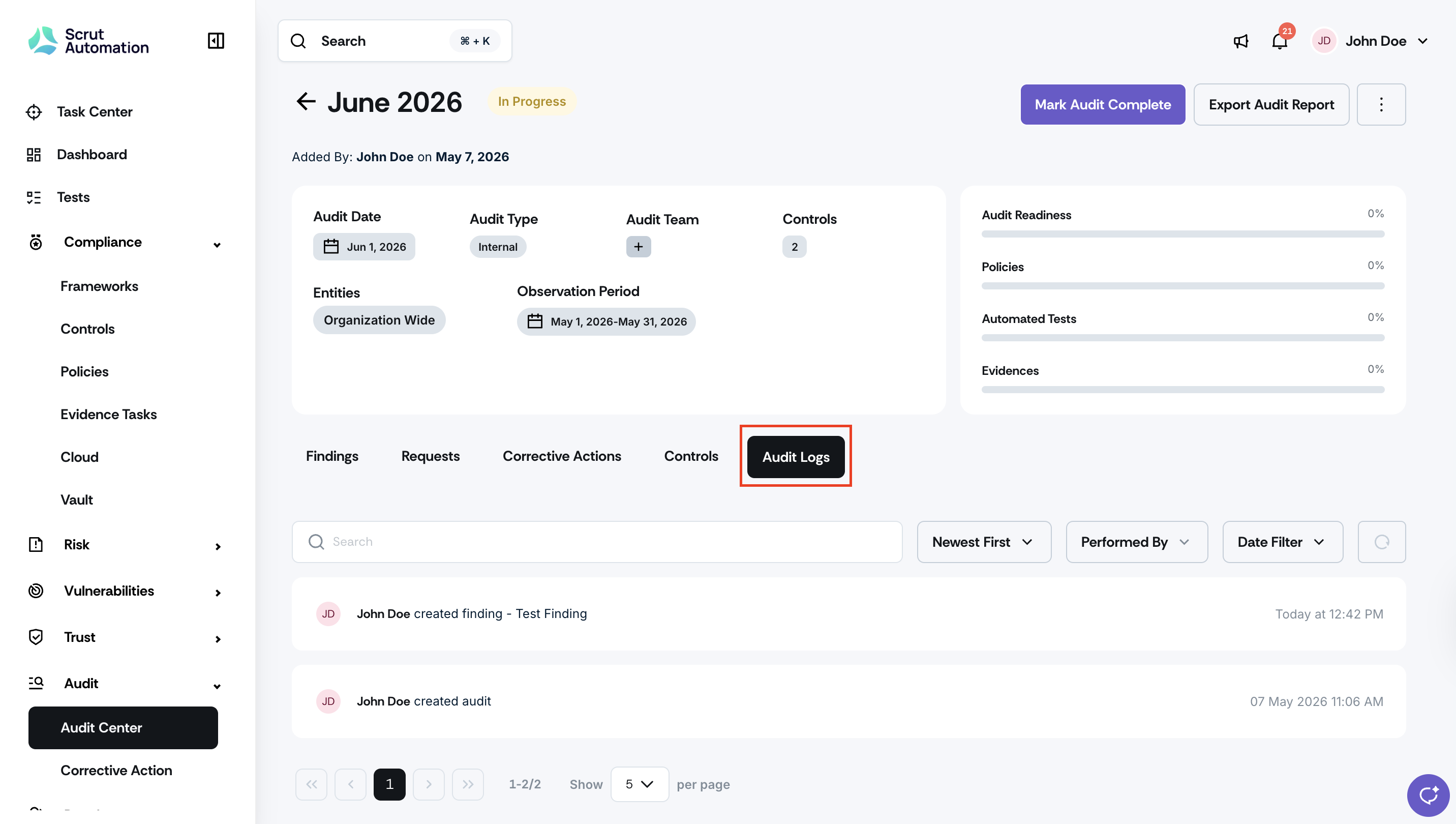
Use the Performed By and Date Filter options to narrow results by team member or time period.
For module-specific history, navigate to the Findings, Requests, or Corrective Actions tabs and access their individual logs.
Comment deletions are recorded and visible in both the section-level log and the audit-level stream.
Need help?
Your Customer Success Manager (CSM) is always ready to help if you need assistance. Explore all recent product updates → View now.