- DATE:
- AUTHOR:
- The folks at Scrut
UI improvements to the Employee Portal for a modern, user experience
What's new?
We've made four targeted improvements to the Employee Portal to make it easy for all users to navigate the portal without any confusion:
The Security Checklist now clearly communicates that items are completed automatically.
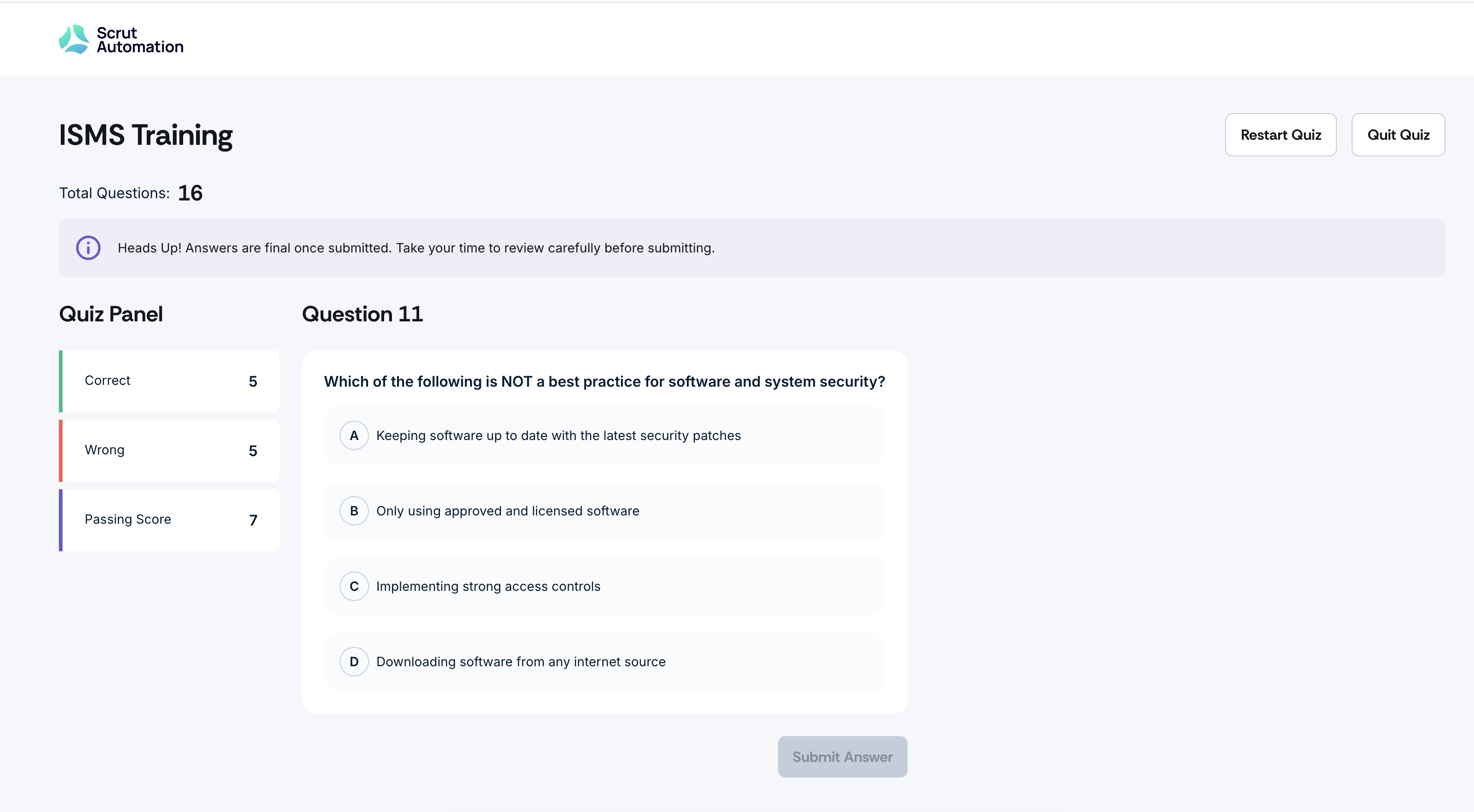
Quiz navigation has been updated to remove clickable number cards and set accurate expectations about answer submission.
The Trainings tab is no longer shown when it is the only navigation option.
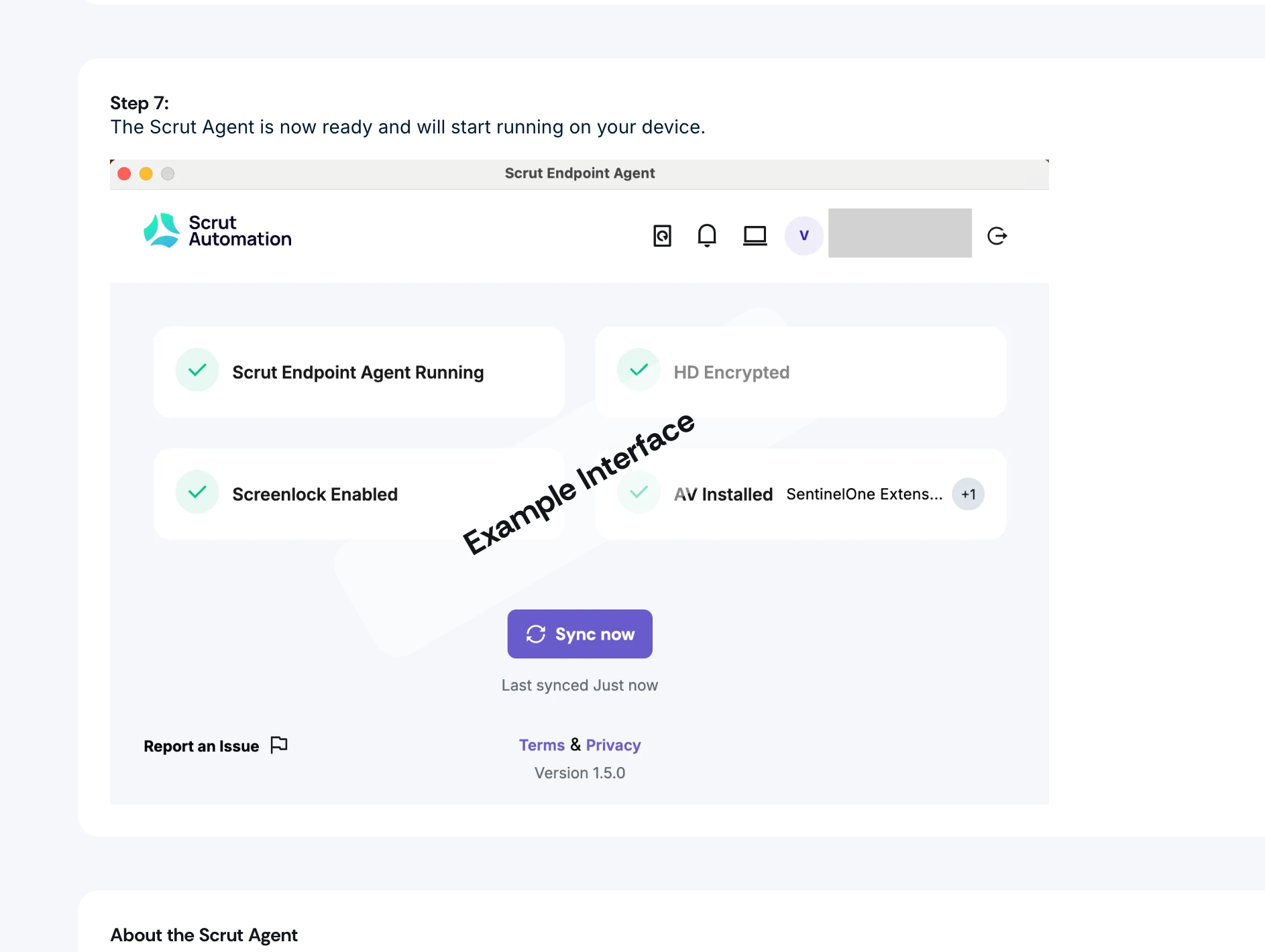
Instructional screenshots now display an "Example" watermark to distinguish them from interactive UI elements.
Why was this needed?
Previously, the Employee Portal's UI wasn't intuitive enough, leading to incomplete or frustrating user experiences. These updates align the UI with how each element actually behaves, so your employees spend less time confused and more time completing what they need to.
How it works
Head to the Employee Portal to view the UX and UI updates.
In the Security Checklist, review items are marked for automatic completion — no manual action is required. The redesigned checklist makes this clear upfront.

In quizzes, note that answers cannot be changed after submission. Use the Restart Quiz or Quit Quiz options shown at the end of a quiz to proceed.
In the Employee Portal navigation, the Trainings tab will only appear when additional navigation options are available alongside it.
When following instructional screenshots, look for the "Example" watermark to identify static reference images and distinguish them from interactive UI elements.
Need help?
Your Customer Success Manager (CSM) is always ready to help if you need assistance. Explore all recent product updates → View now.