- DATE:
- AUTHOR:
- The folks at Scrut
Brand your policies with custom headers and footers
What's new?
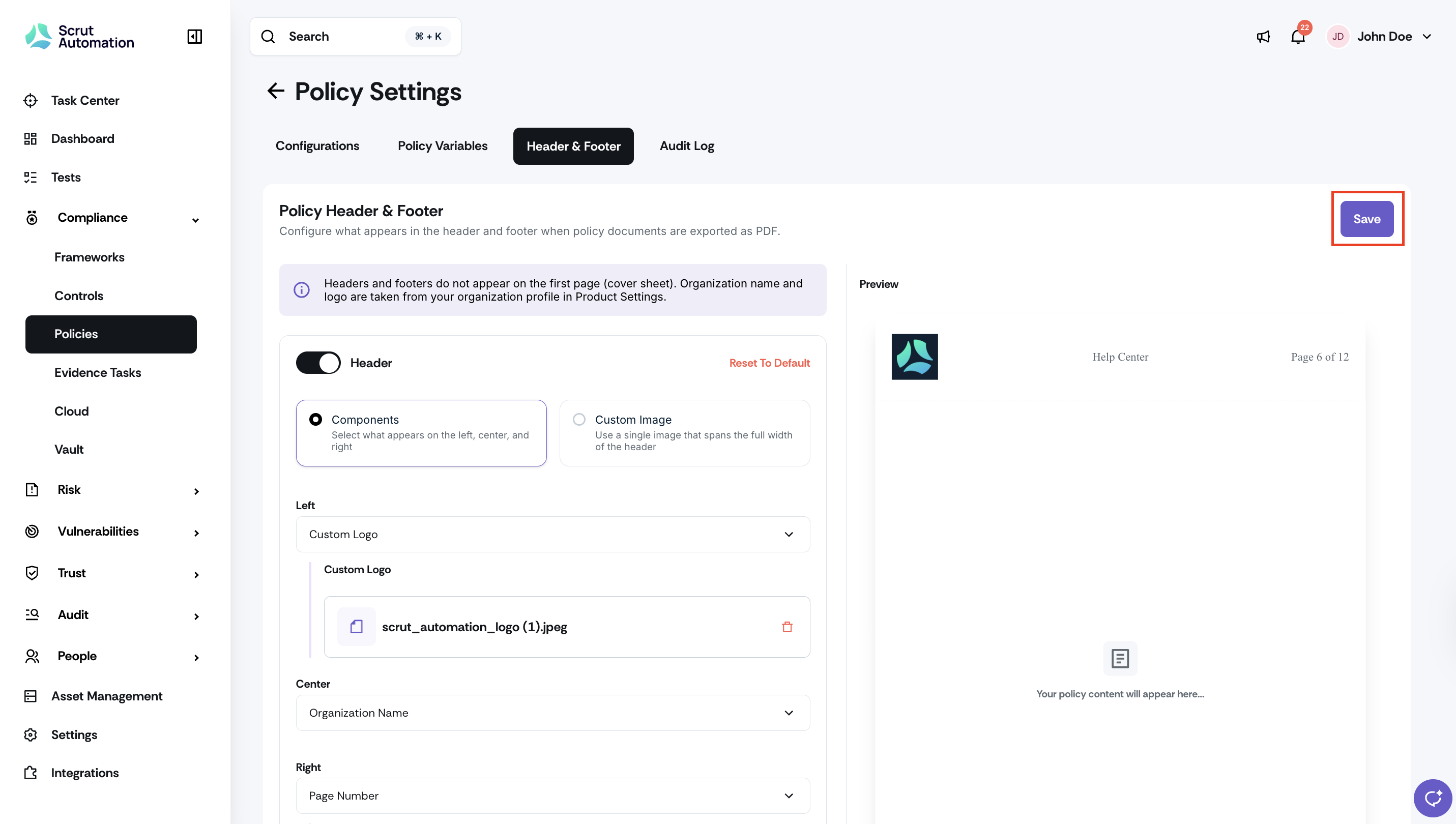
You can now add custom headers and footers for all policy PDFs exported from Scrut. Add your organization name, policy title, page numbers, logo, custom text, or a custom image. Use the real-time preview to view exactly how the header and footer appear in your policy before exporting it.
Why was this needed?
Policy PDFs exported from Scrut previously had no branding, page numbers, or policy titles on each page, making them look unfinished and inconsistent. With this update, your exported policy documents can match the standard your organization holds for official documentation, without any post-processing in Word or another tool.
How it works
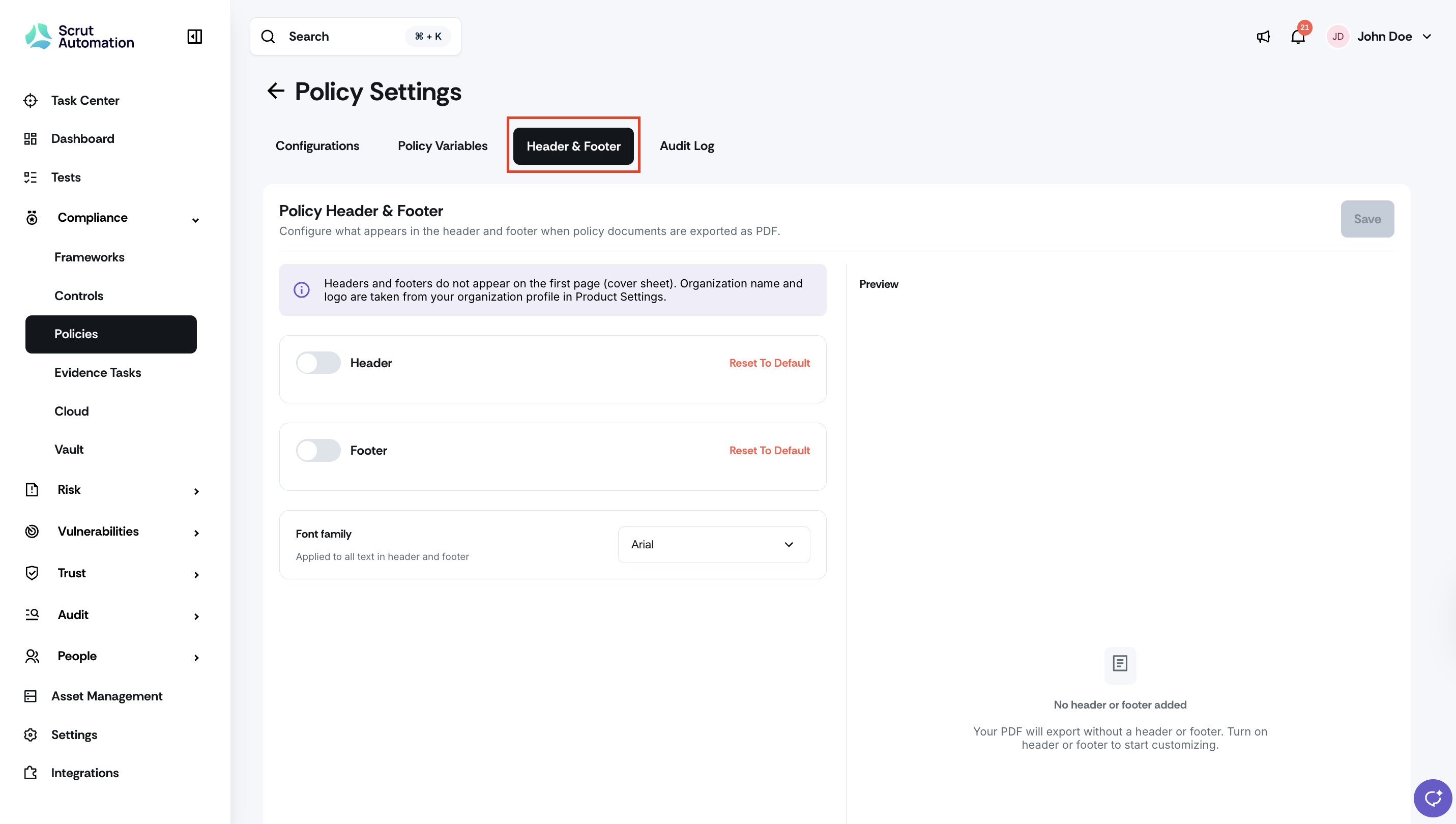
Navigate to Compliance -> Policies and open Policy Settings, and click the Header & Footer tab.
Toggle the Header and Footer on, as required. Both are off by default until you configure them.
Build your header and footer using supported elements: organization name, policy title, page numbers, logo, or short custom text. You can also upload a custom header or footer image that spans the entire page.
Preview how your header and footer will appear before saving.
Click Save. All subsequent exports, including downloads, previews, bulk exports, and editor exports, will use the updated configuration.
Note: The cover page remains clean. Page numbers count from page one but display from page two onward, consistent with standard policy formatting.
Need help?
Your Customer Success Manager (CSM) is always ready to help if you need assistance. Explore all recent product updates → View now.