- DATE:
- AUTHOR:
- The folks at Scrut
Capture more context by adding custom fields for vulnerability findings and resources
What's new?
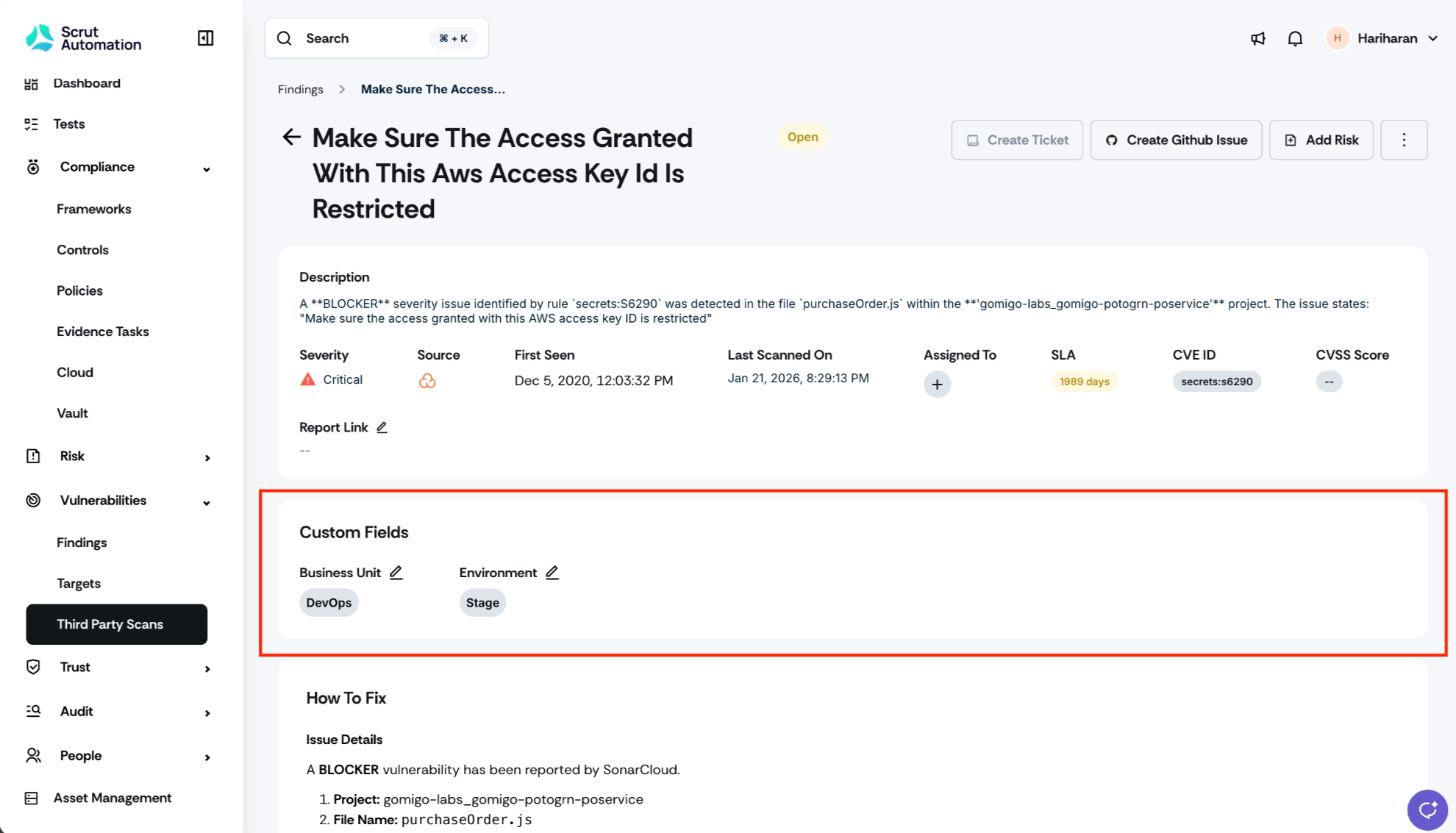
You can now define custom fields for vulnerability findings and resources. Custom fields let you capture bespoke severity levels, ownership tags, SLA classifications, or any other metadata your vulnerability management program relies on into Scrut, without needing a separate tracker.
Why was this needed?
The standard fields available in findings and resources did not accommodate the specialized metadata that many vulnerability management programs require, forcing teams to maintain parallel spreadsheets outside Scrut to track nuances like custom severities, ownership, or SLA tags. Over time, those external trackers fall out of sync with scan data. Custom fields keep all of this information inside Scrut, aligned to the language your engineering and security teams already use, and available in the same views where findings are reviewed and acted on.
How it works
Navigate to Vulnerabilities -> Third-Party Scans -> Settings.
Go to the Custom Fields tab and click Add Custom Field.
Define the fields you need, including field name and type.
Save your configuration. The new fields appear in the Findings and Resources views immediately.
Use the custom fields to filter, sort, and track findings and resources according to your program's taxonomy.
Need help?
Your Customer Success Manager (CSM) is always ready to help if you need assistance. Explore all recent product updates → View now.