- DATE:
- AUTHOR:
- The folks at Scrut
Connect Aikido Security to Scrut for automatic vulnerability sync
What's new?
Scrut now integrates natively with Aikido Security, automatically importing vulnerability findings from your Aikido account. The integration covers findings across SCA, SAST, IaC, Cloud, Secrets Detection, DAST, and Container scanning categories. Each finding is imported with enriched metadata including severity, CVSS scores, affected resources, fix availability, and structured remediation steps.
Why was this needed?
Teams using Aikido Security for vulnerability scanning had no way to bring those findings into Scrut, which meant tracking detection in one platform and compliance workflows in another. This integration eliminates that gap so you can manage Aikido findings with the same triage, assignment, and SLA workflows you already use in Scrut.
How it works
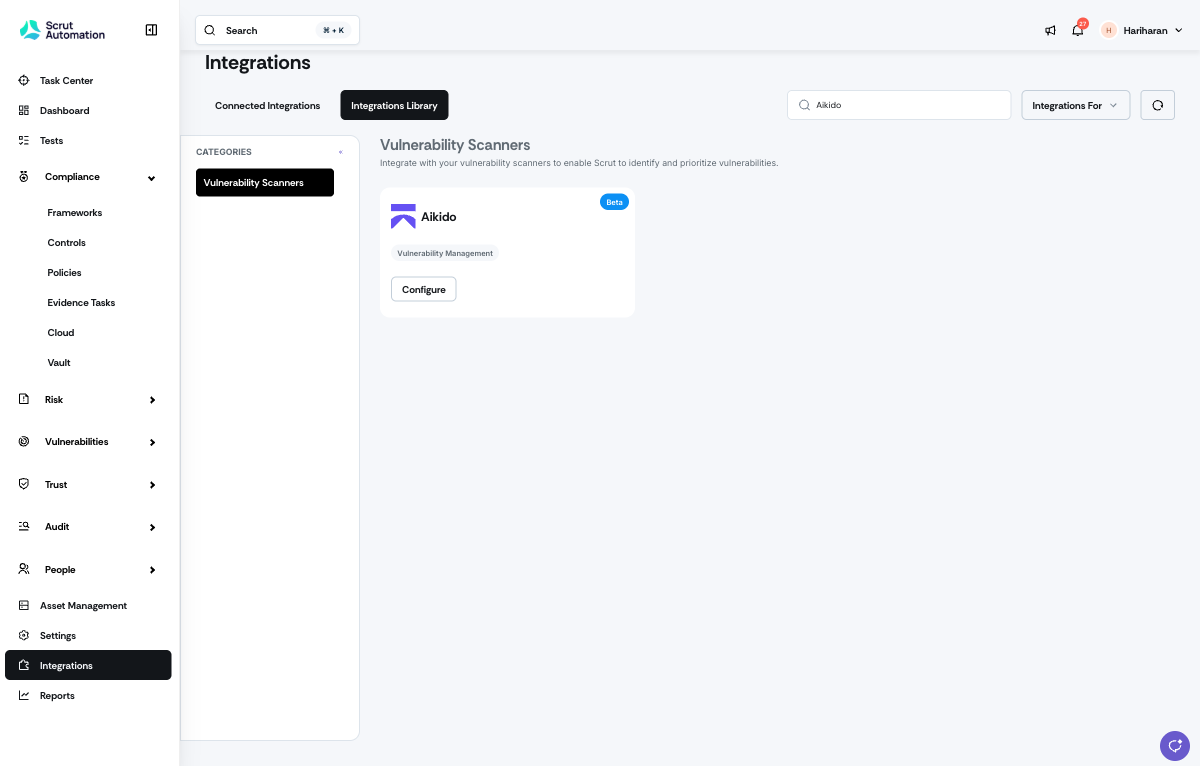
Navigate to Integrations, open the Integrations Library, and select Vulnerability Scanners.
Select Aikido and connect your Aikido Security account using your OAuth credentials (Client ID and Client Secret).
Once connected, Scrut automatically syncs your Aikido findings periodically. No manual imports or CSV uploads are required.
Access imported findings in Vulnerabilities -> Third Party Scans, and filter by Source: Aikido.
Review enriched metadata for each finding, including severity, CVSS score where available, affected resources, fix availability, and remediation steps.
Manage Aikido findings alongside all other scan sources using Scrut's SLA tracking, assignment workflows, and compliance mapping.
Note: For step-by-step instructions, refer to the Aikido - Scrut integration help guide.
Need help?
Your Customer Success Manager (CSM) is always ready to help if you need assistance. Explore all recent product updates → View now.