- DATE:
- AUTHOR:
- The folks at Scrut
Customize your exports with flexible column selection
What's new?
Exporting data from Scrut is now faster and more precise. You can choose exactly which columns you want before downloading, so your exports are immediately usable, without requiring extra cleanup.
Why was this needed?
Earlier, exports included every column by default, even when you only needed a subset. This meant extra time spent filtering and restructuring data after download. With column-level selection, you get clean, relevant exports right away.
How it works
Click Export on any supported table.
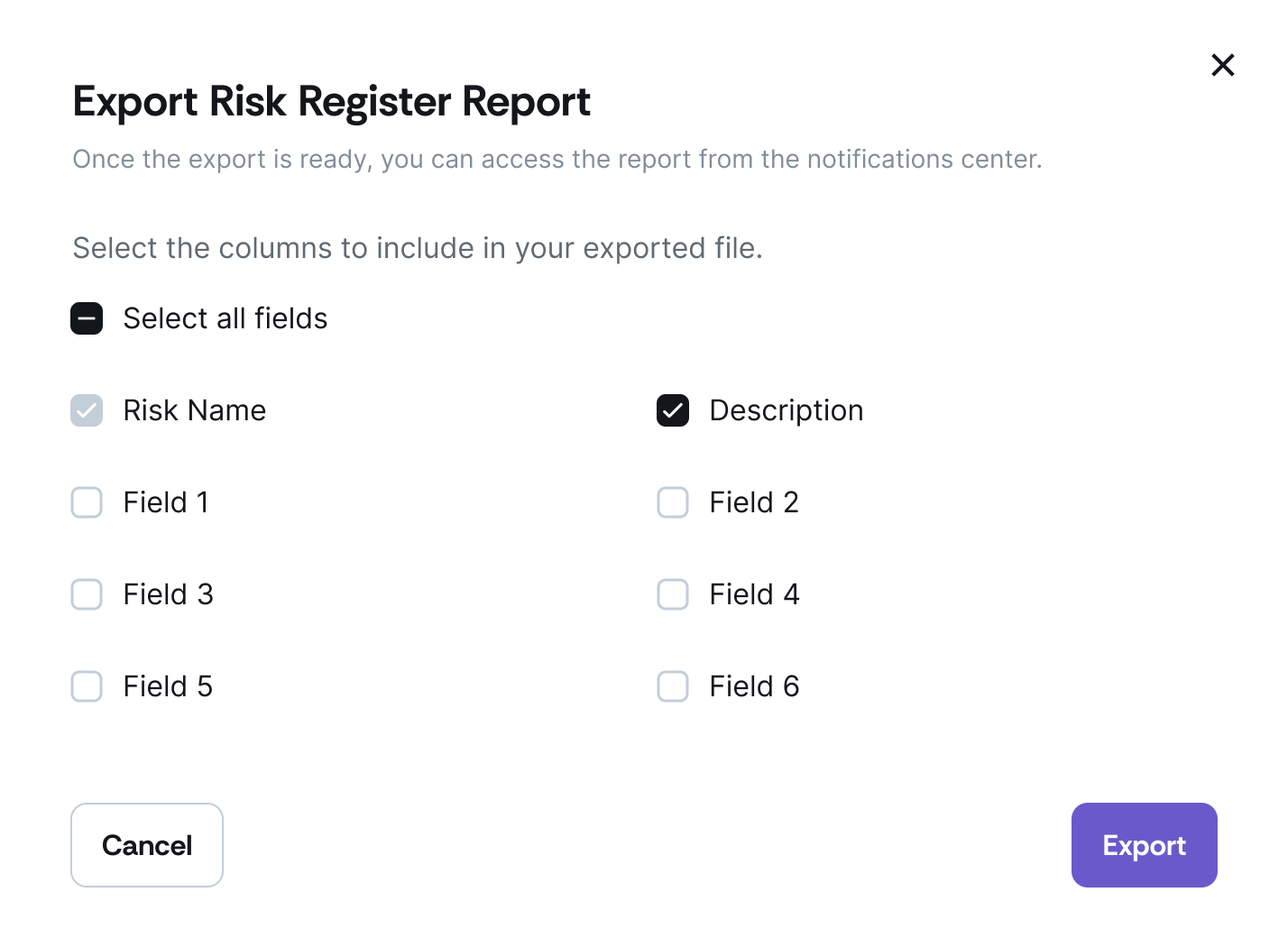
When exporting tables, select only the fields you need:
In the export modal, check or uncheck the columns you want.
Use Select all or Deselect all to quickly adjust your selection.
Required default columns are always included and cannot be removed.
Download the report from the Notifications Center once it's ready.
Need help?
Your Customer Success Manager (CSM) is always ready to help if you need assistance. Explore all recent product updates → View now.