- DATE:
- AUTHOR:
- The folks at Scrut
Enable Policy IDs for automatic, sequential numbering of your policies
What's new?
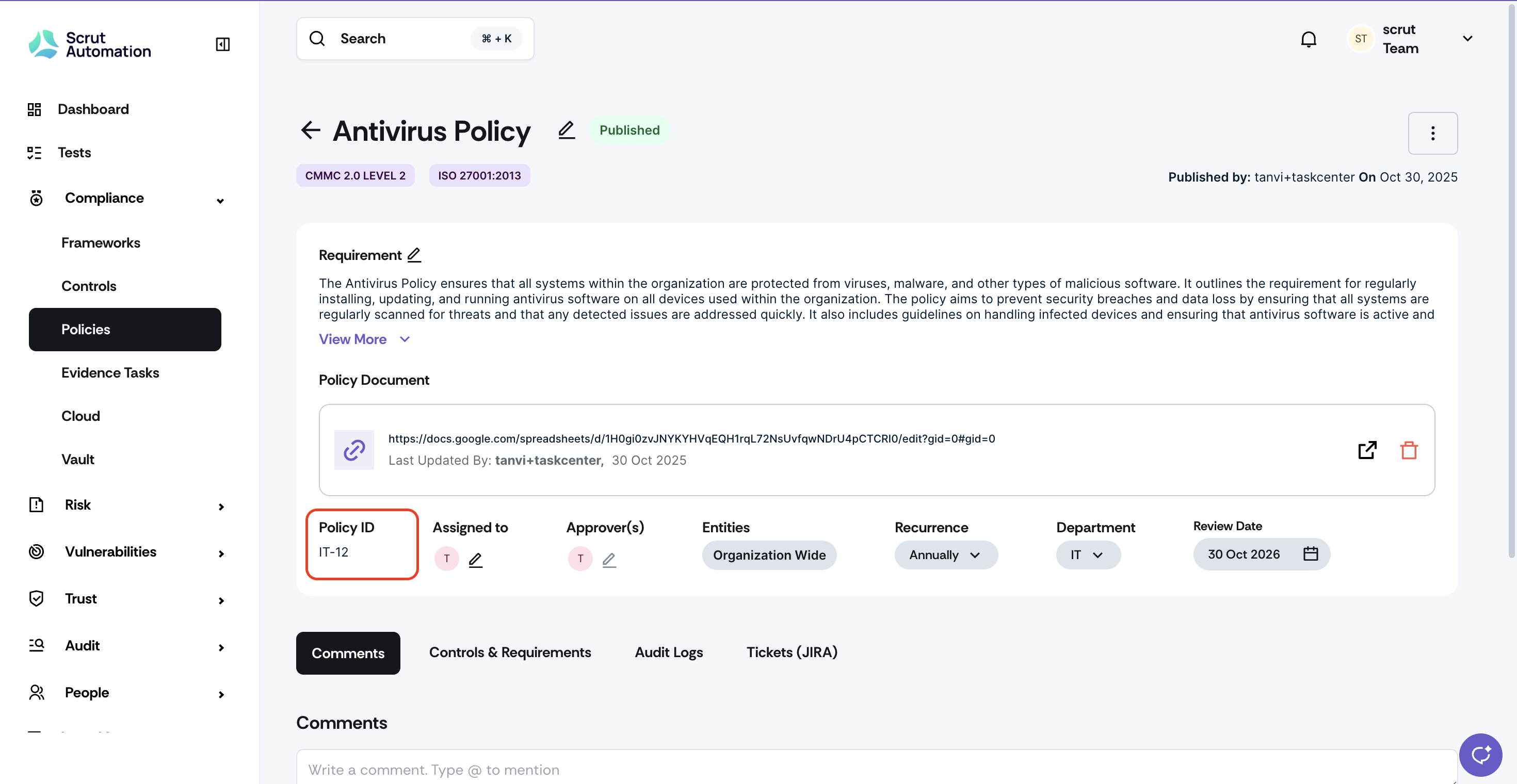
You can now add automatic, sequential Policy IDs to improve the traceability and auditability of your policies. Once you enable Policy ID in Policy Settings, you can define a custom prefix (up to 10 alphanumeric characters), and Scrut automatically assigns IDs in the format [Prefix]-[Sequential Number]. Policy IDs appear in a new mandatory column in the policy table and on policy detail pages.
Why was this needed?
Policy IDs provide reliable audit trails and internal tracking by ensuring every policy has a permanent, unchangeable identifier. When policies are deleted, their IDs are never reused, creating clear gaps in the sequence that maintain tamper-proof audit history. This ensures complete traceability for compliance audits and regulatory requirements.
How it works
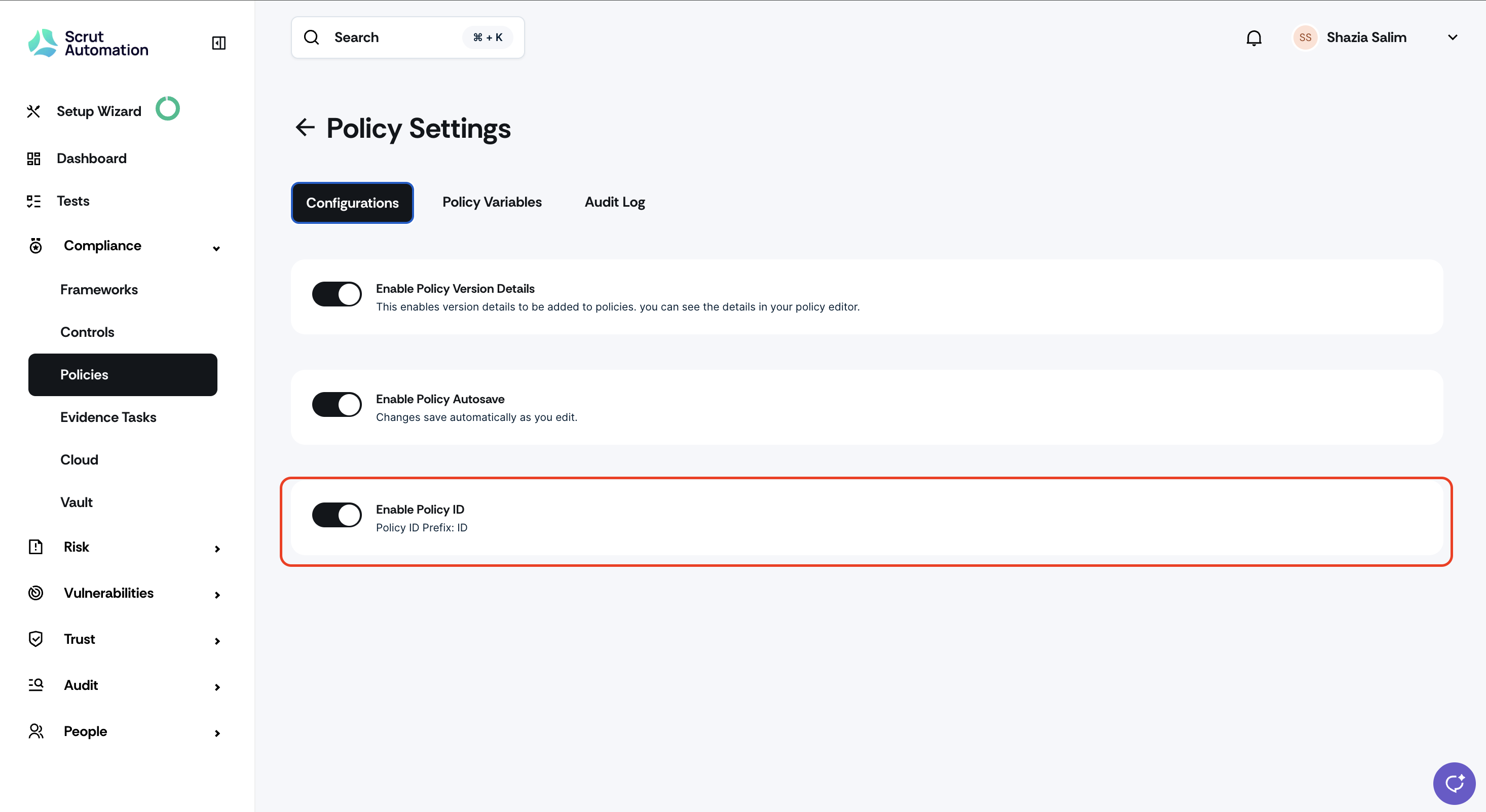
Enable the Policy ID toggle in Policy Settings
Define a custom prefix (maximum 10 alphanumeric characters)
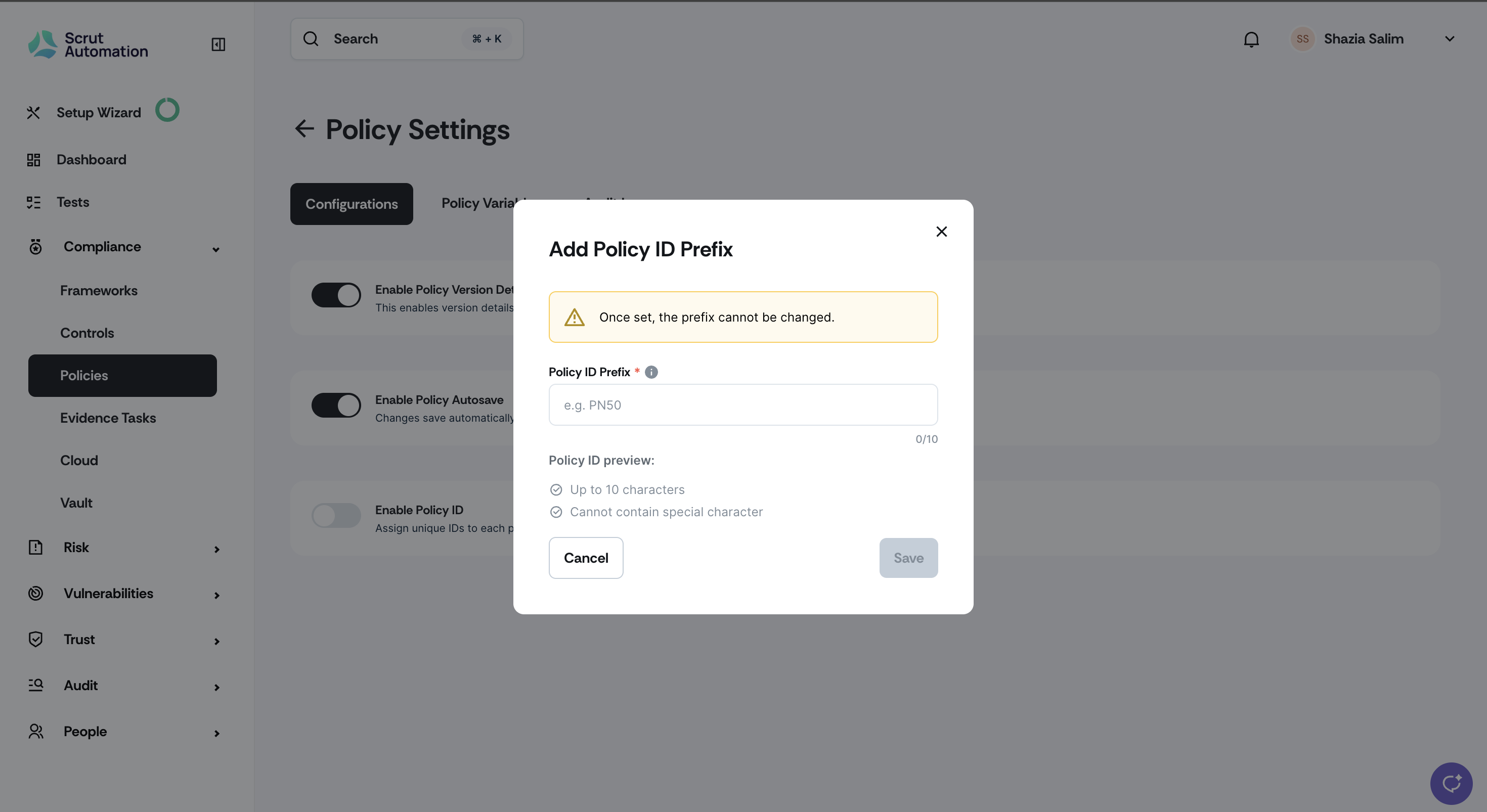
Scrut automatically assigns unique IDs to all new and existing policies based on creation date
View Policy IDs in the new mandatory column in the policy table and on policy detail pages
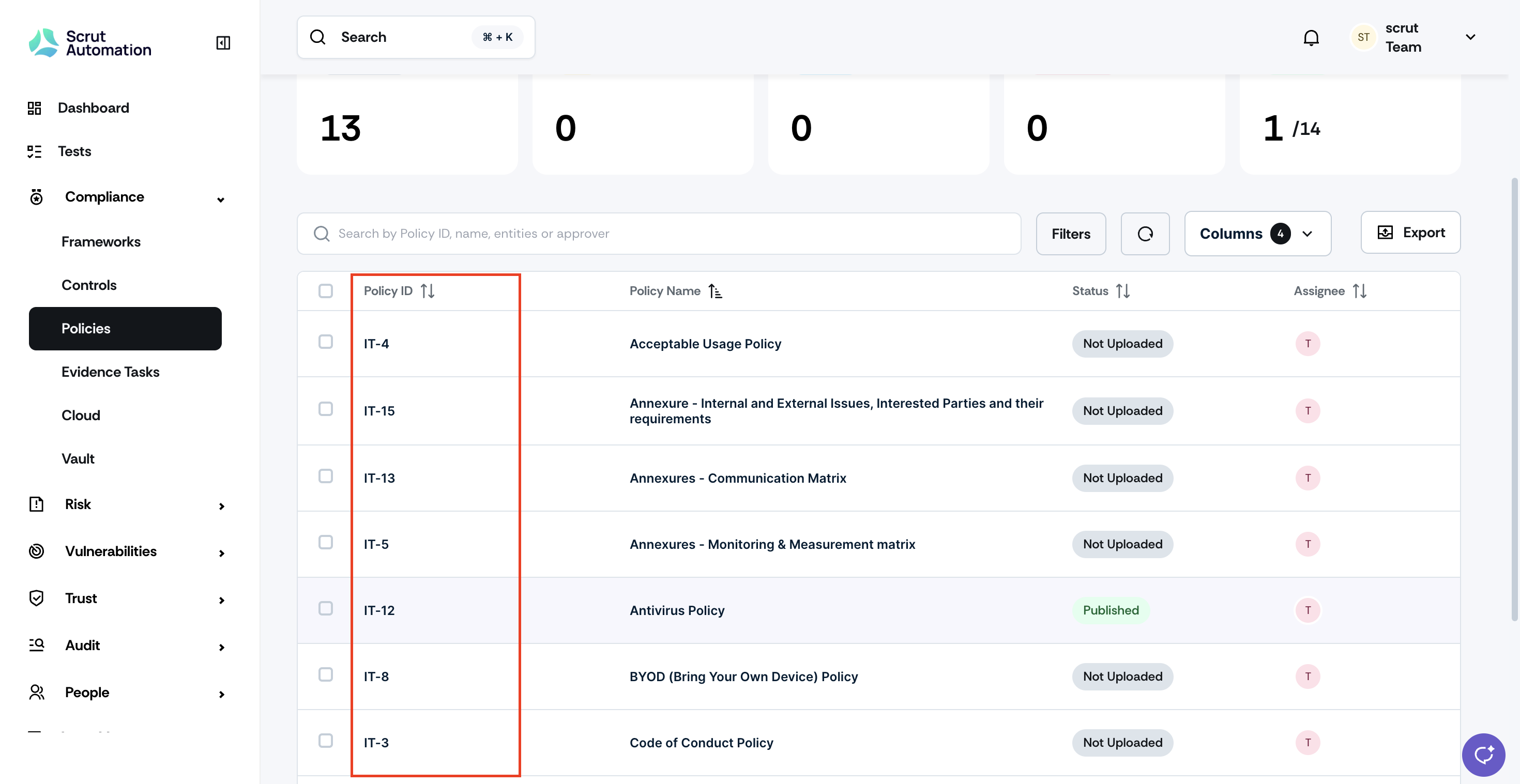
Deleted policy IDs are permanently retired and never reassigned to maintain audit integrity
Disable the feature anytime to permanently remove all assigned Policy IDs
Note: This feature is disabled by default for all users. You must proactively enable this toggle to activate Policy ID generation.
Need help?
Your Customer Success Manager (CSM) is always ready to help if you need assistance. Explore all recent product updates → View now.