- DATE:
- AUTHOR:
- The folks at Scrut
Fix cloud tests faster with AI-powered remediation steps added to Jira tickets
What's new?
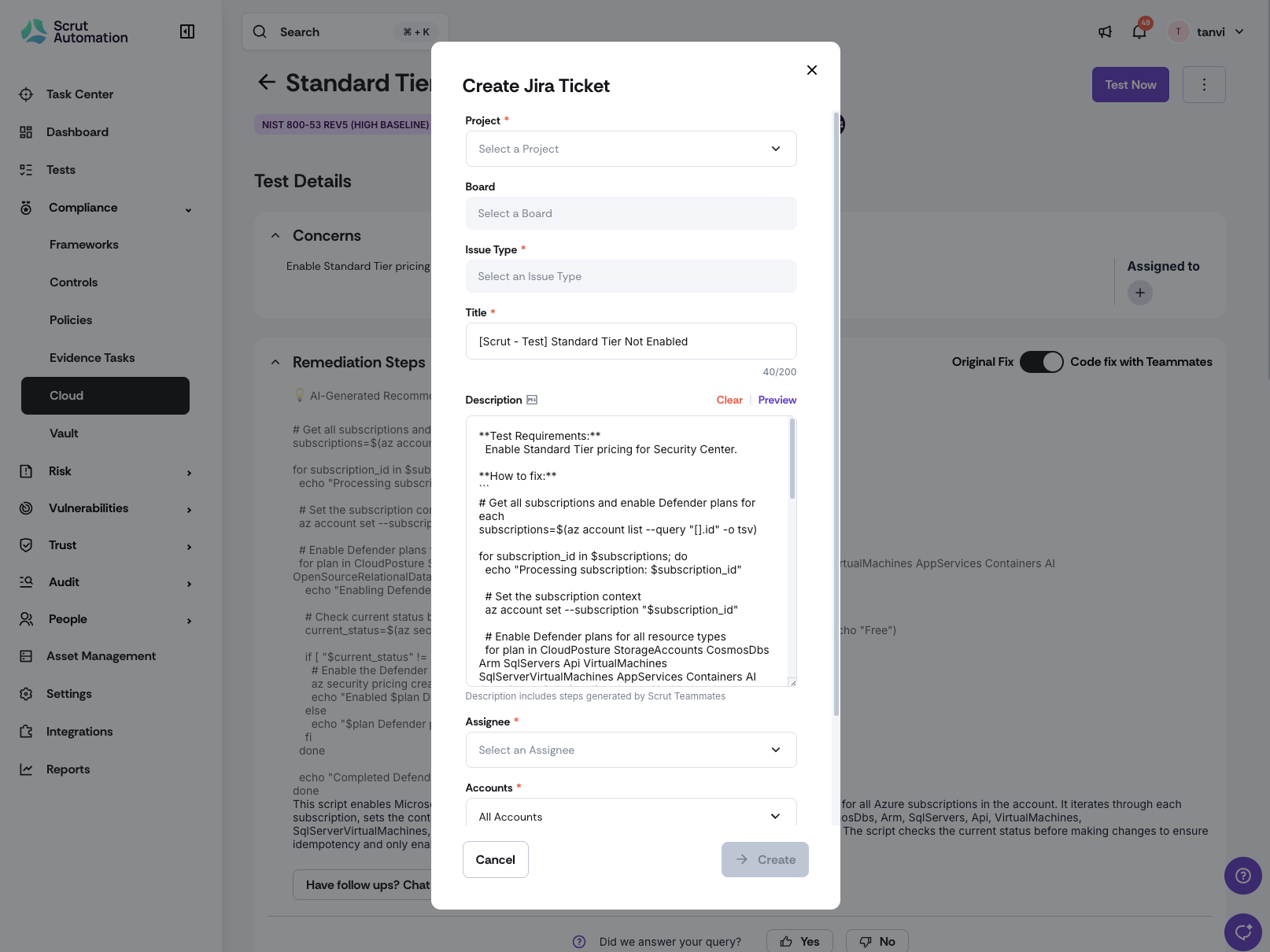
When creating Jira tickets from the Cloud module, Scrut Teammates now automatically fills in descriptions with the best available remediation steps.
Why was this needed?
Previously, Jira ticket descriptions contained limited, static steps, even when richer AI-generated fixes were available. This meant you weren't fully benefiting from Teammates AI guidance and had to manually adjust ticket descriptions. Smart autofill ensures you get clearer, more contextual remediation steps with less effort, improving ticket quality and speeding up creation.
How it works
Navigate to Cloud Module → Failed Tests and click Create Jira Ticket.
The Jira description automatically populates with AI-generated remediation steps when Teammates AI is enabled, and an AI fix exists.
If AI fixes aren't available or AI is disabled, manual remediation steps are used as a fallback.
Review the autofilled content in the enhanced, larger Jira modal.
Click Clear to instantly remove autofilled content if needed.
Edit the description field—you maintain full control over ticket content.
Create your Jira ticket with ready-to-use, contextual remediation guidance.
Need help?
Your Customer Success Manager (CSM) is always ready to help if you need assistance. Explore all recent product updates → View now.