- DATE:
- AUTHOR:
- The folks at Scrut
Flexible policy editing: Choose when to save your changes with manual save
What's new?
You can now choose between automatic continuous saving and manual saving for policy content. A new Policy Autosave toggle in Policy Settings lets you disable autosave and switch to manual mode, where a dedicated Save button appears in the inline editor. In manual mode, new revision history entries are created only when you explicitly save, giving you precise control over policy versioning.
Why was this needed?
Manual save gives you explicit control over when policy changes are finalized and versioned. You can draft, review, and refine content without creating multiple revision entries, ensuring your version history captures only intentional, complete updates. Additionally, Scrut warns you before discarding unsaved changes, preventing accidental data loss.
How it works
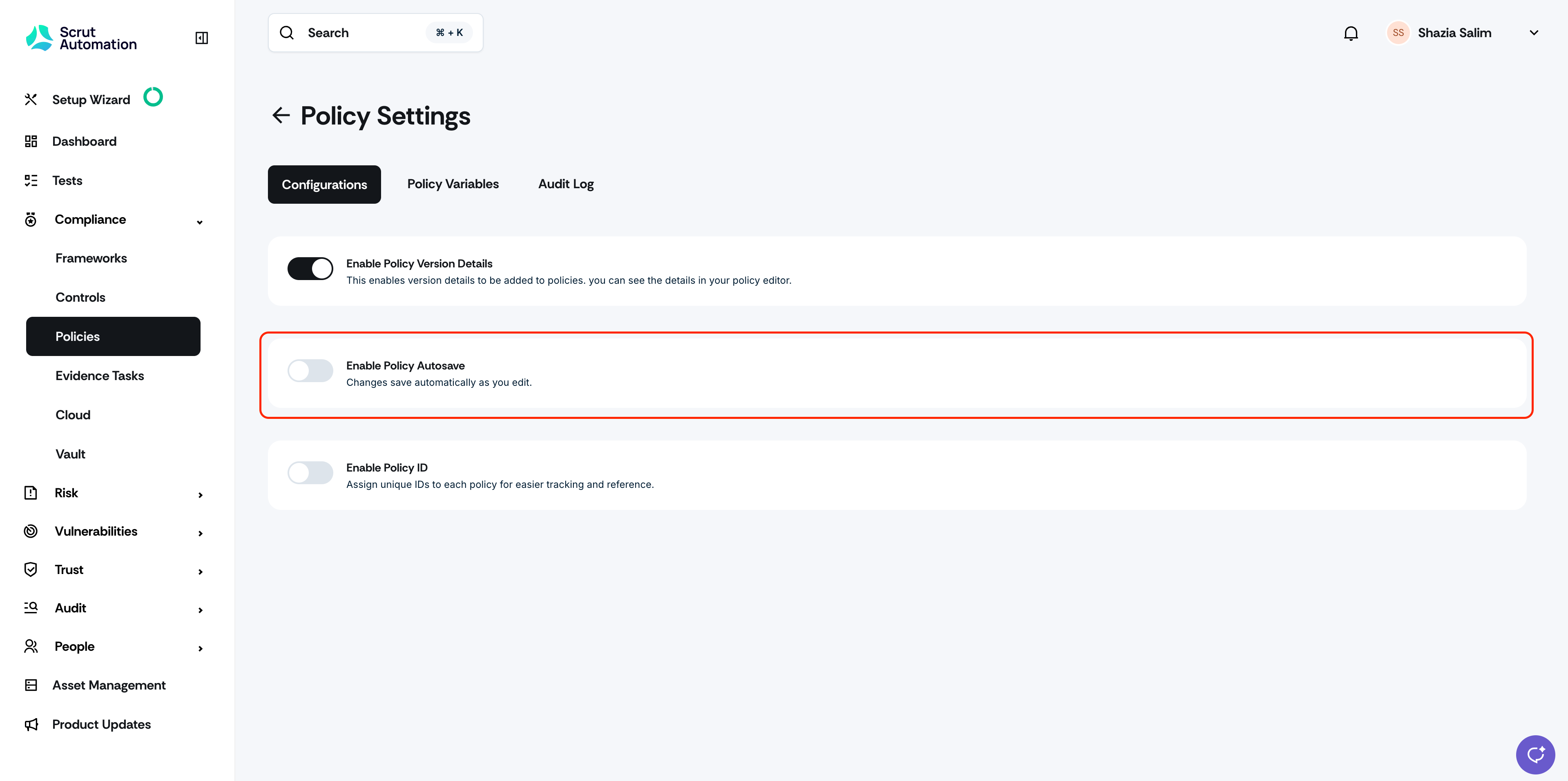
Disable the Policy Autosave toggle in Policy Settings to switch to manual save mode
Edit policies using the inline editor with the new Save button
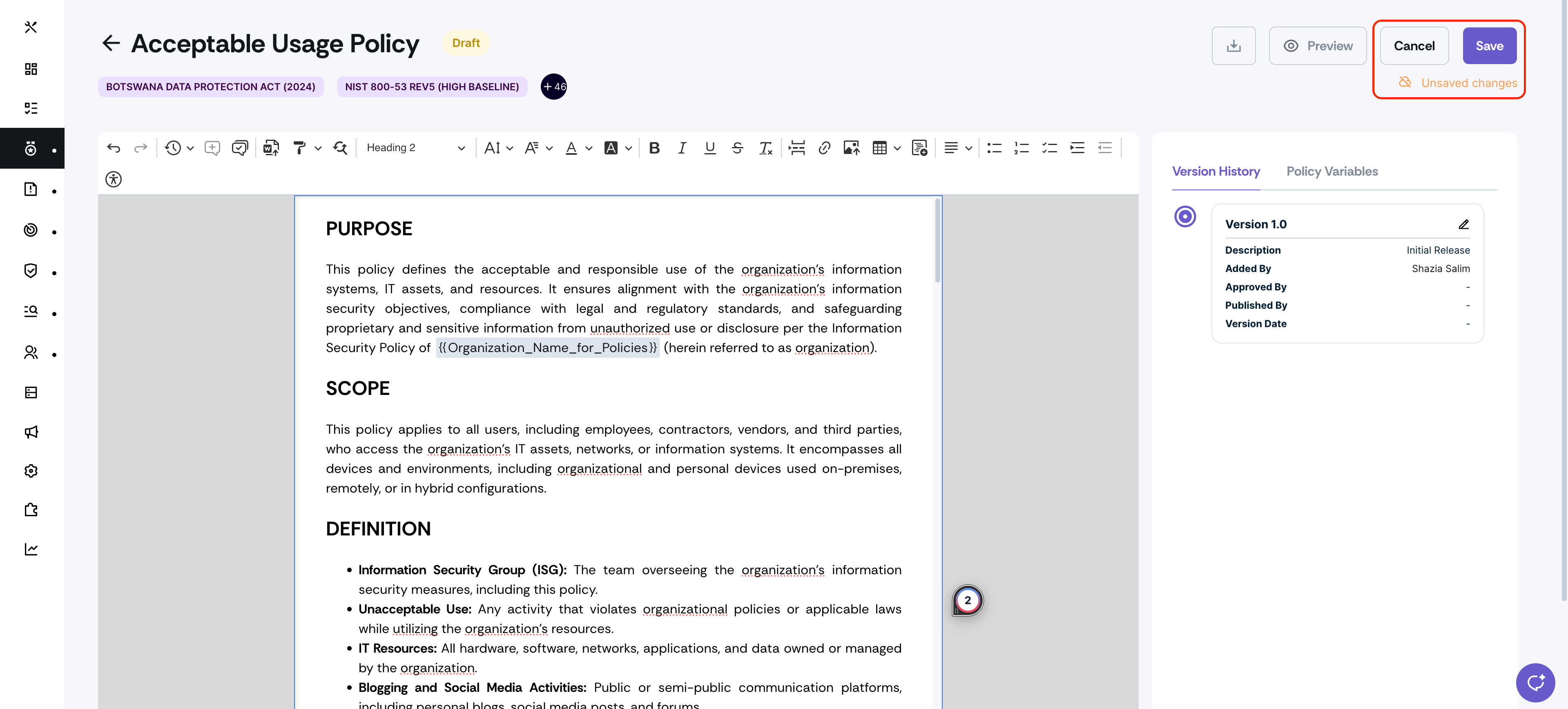
Click Save to create a revision history entry for your changes
Click Cancel to discard edits (the system will prompt for confirmation)
Receive warnings when navigating away with unsaved changes to prevent data loss
Re-enable autosave anytime to return to continuous backup mode
Note: For data integrity, policy editing is restricted to a single user at a time in manual save mode.
Need help?
Your Customer Success Manager (CSM) is always ready to help if you need assistance. Explore all recent product updates → View now.