- DATE:
- AUTHOR:
- The folks at Scrut
Get complete visibility into the resources covered by each vulnerability scan
What's new?
Vulnerability scans now include Scanned Resources data, showing you the count and complete list of resources that were actually tested. This visibility helps you quickly understand scan depth and coverage.
Why was this needed?
Understanding what was scanned is critical for assessing security coverage and identifying gaps. Scanned Resources insights provides complete information on the scope of each scan and helps you verify that security testing covered all critical assets.
How it works
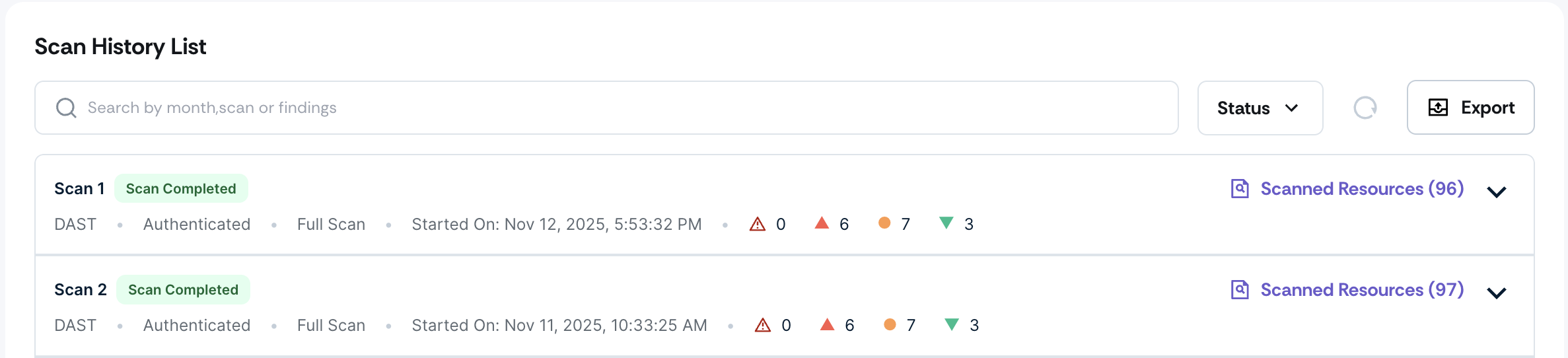
Navigate to Vulnerabilities -> Targets -> Target Details page and scroll to the Scan History table.
View the count of scanned resources for each scan. Review the complete list of resources that were tested.
Use this data to validate scan coverage and identify any gaps
Note: This data is not available for older scans completed before this feature release.
Need help?
Your Customer Success Manager (CSM) is always ready to help if you need assistance. Explore all recent product updates → View now.