- DATE:
- AUTHOR:
- The folks at Scrut
Get instant, contextual answers with Teammates on Trust Portal
What's new?
Teammates can now access and read content and documents on your Trust Portal. With this feature, visitors can chat with Teammates and get instant, contextual responses directly on your Trust Portal site.
Why it matters
Trust Portal visitors can now ask questions and receive immediate, accurate responses pulled from your trust portal content and documents, without waiting for manual responses.
How it works
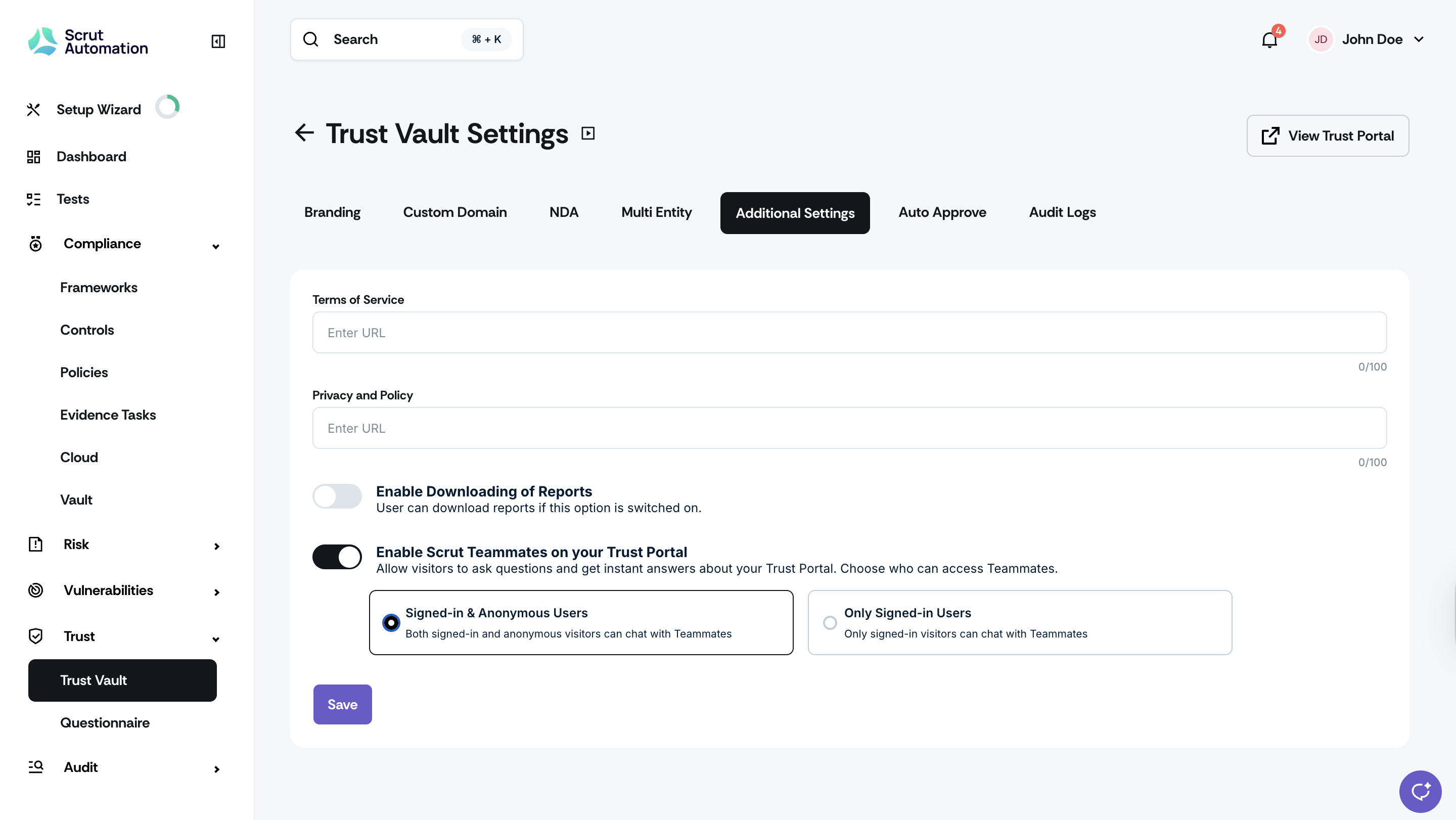
Navigate to Trust Portal settings and enable Teammates.
Choose who you want to access Teammates: Only signed-in users or both anonymous and signed-in users.
Once enabled, the Teammates chat icon will appear on your organization's Trust Portal.
Visitors can ask questions directly, and Teammates will answer using your Trust Portal documents
All existing RBAC permissions are automatically respected.
Need help?
Your Customer Success Manager (CSM) is always ready to help if you need assistance. Explore all recent product updates → View now.