- DATE:
- AUTHOR:
- The folks at Scrut
Improvements to Vendors synced from your Integrations
What's new?
We have made three key improvements to how vendors synced via integrations appear in the Vendor module.
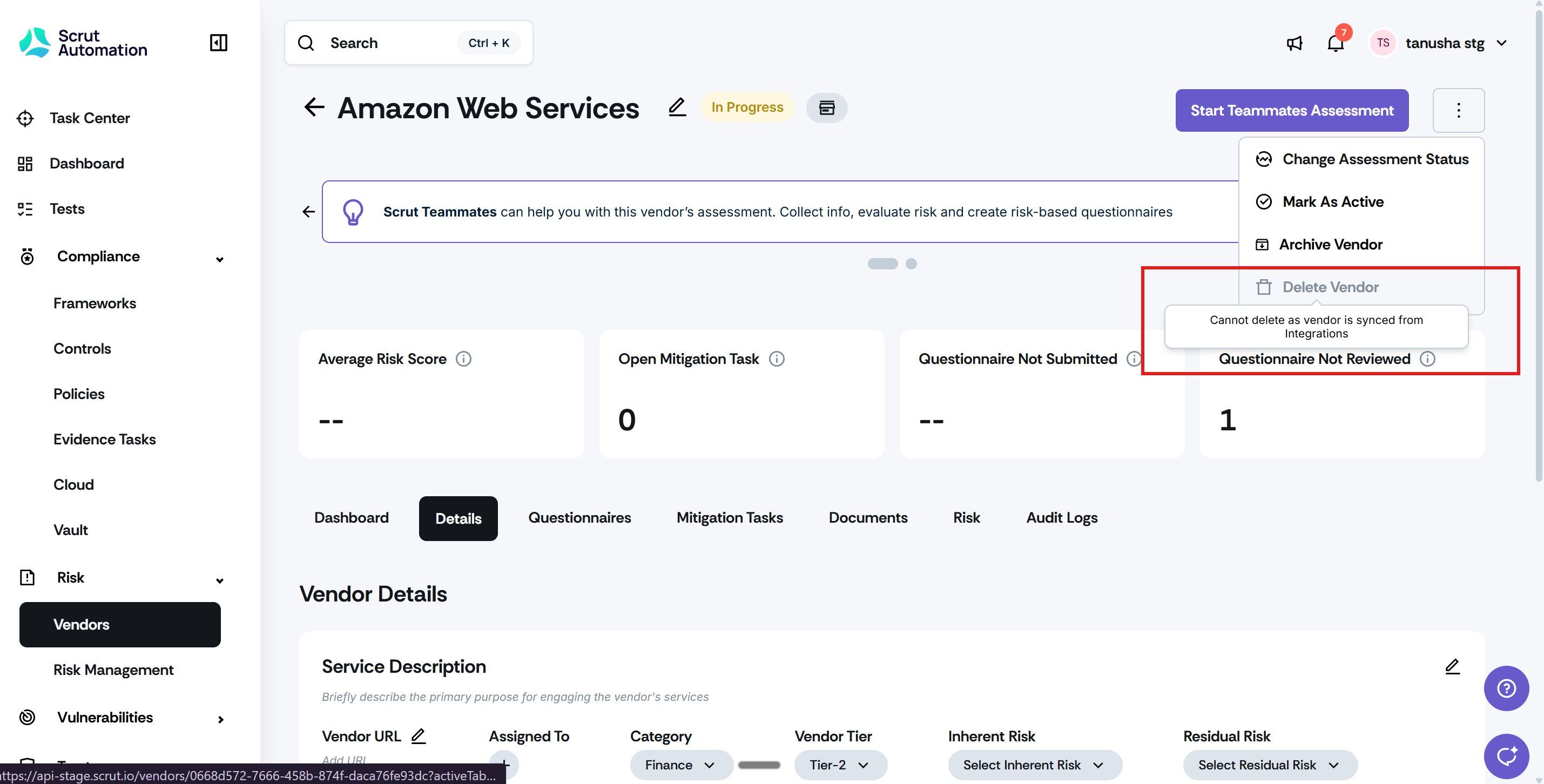
Integration-synced vendors can no longer be deleted directly, but can now be archived and removed from the active vendor list.
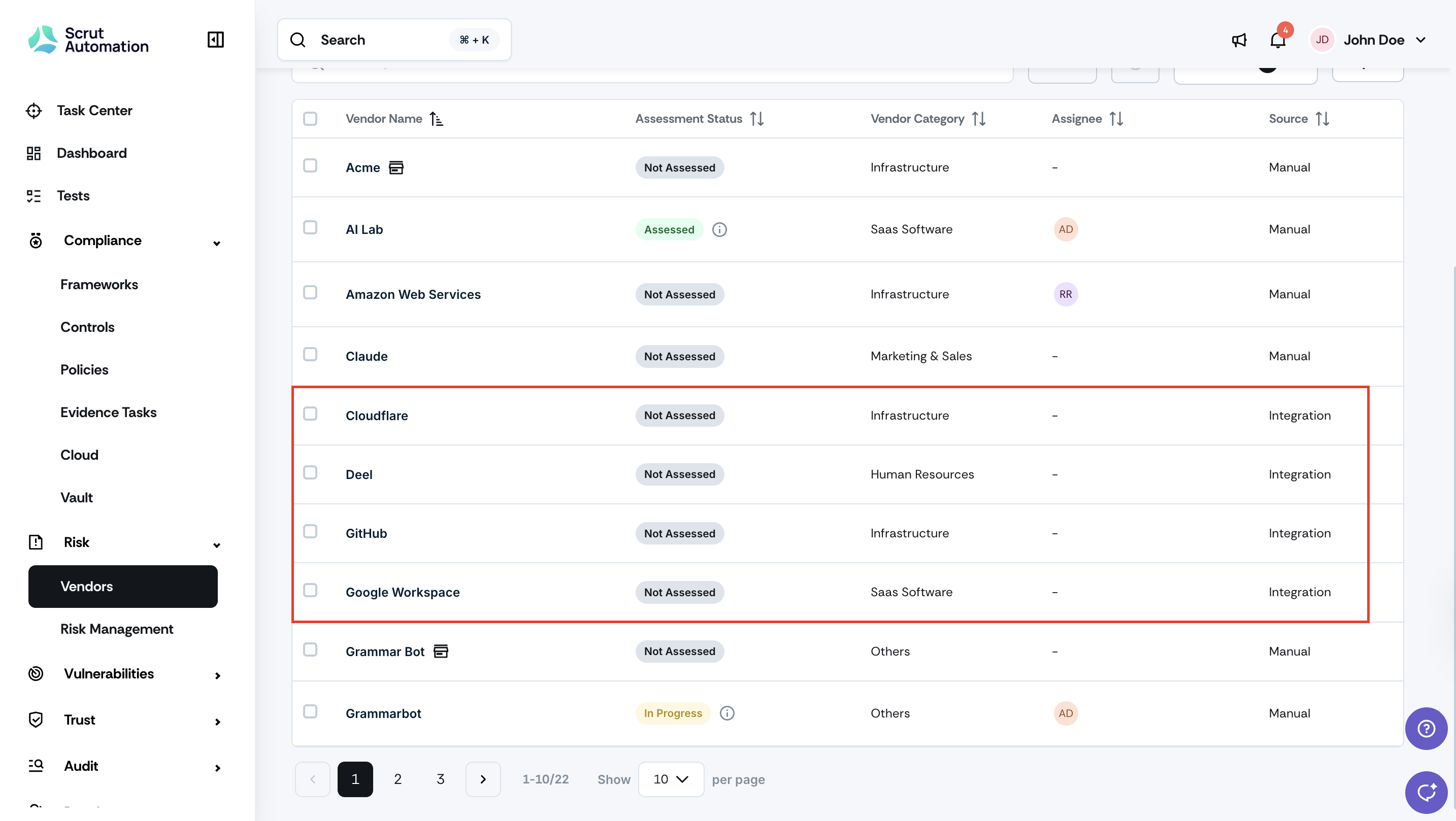
The Vendor Table now shows a Source column by default, so you can immediately identify which vendors were created through integrations.
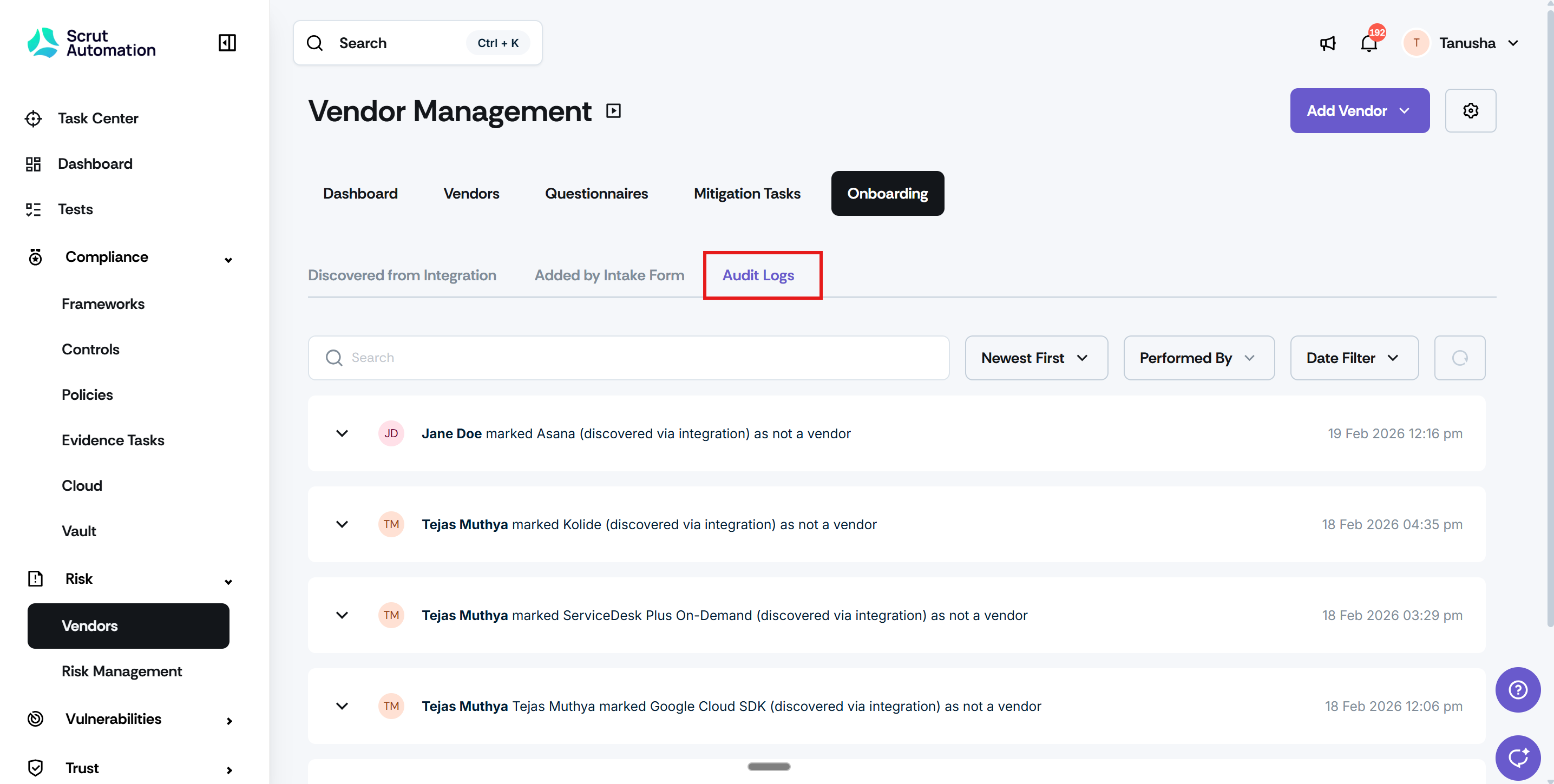
A new Audit Logs sub-tab has also been added to Vendor Onboarding to track key actions on discovered vendors.
Why was this needed?
Previously, when integration-synced vendors were deleted, they would reappear after the next sync, creating duplicate records and eroding confidence in vendor data. You now have a clear, reliable way to manage these vendors without triggering this cycle. The Source column removes guesswork about where a vendor came from, and the audit log gives you a trustworthy record of every action taken during onboarding.
How it works
Click Risk -> Vendors on the left navigation panel, and go to the Vendors tab to open the Vendor Table. The Source column is now visible by default and identifies integration-synced vendors.
To remove an integration-synced vendor from your active list, archive it rather than deleting it.
Navigate to Risk -> Vendors -> Onboarding and open the new Audit Logs sub-tab to review a log of key actions taken on discovered vendors, including marking a vendor as "not a vendor".
Need help?
Your Customer Success Manager (CSM) is always ready to help if you need assistance. Explore all recent product updates → View now.