- DATE:
- AUTHOR:
- The folks at Scrut
Personalize evidence templates to match your organizational requirements
What's new?
Evidence templates in Scrut can now be edited in-product using Scrut's rich-text editor. You can format content with bold, italic, headings, bullet and numbered lists, and links and more.
Why was this needed?
With this update, teams can tailor templates to their organization’s tone, processes, and formatting directly in Scrut, without having to switch tabs or copy and paste content into external documents.
How it works
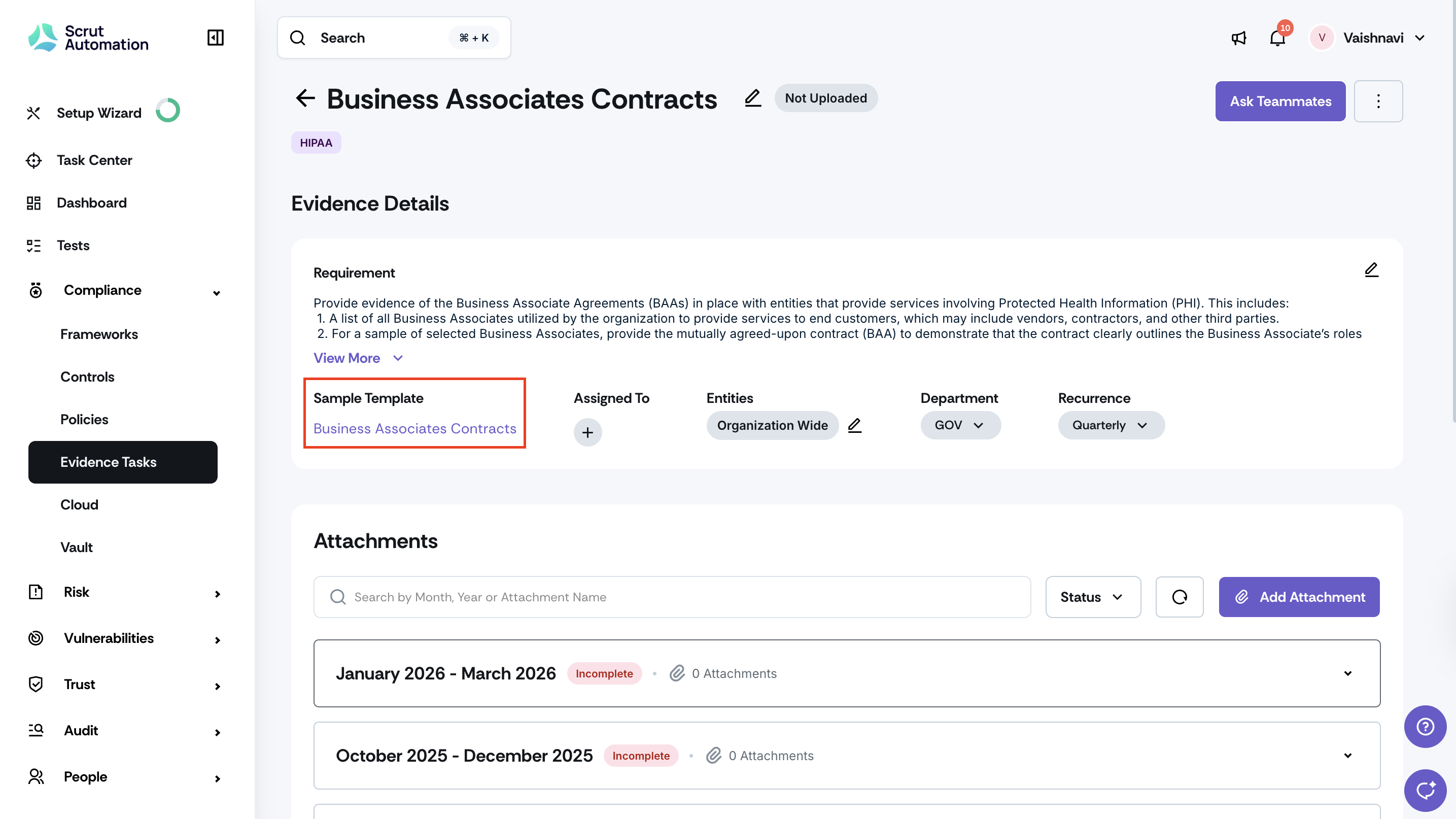
Click Compliance -> Evidence Tasks on the left navigation panel, and open any evidence for which the default template is available.
Click on the evidence template; it will automatically load in the rich-text editor.
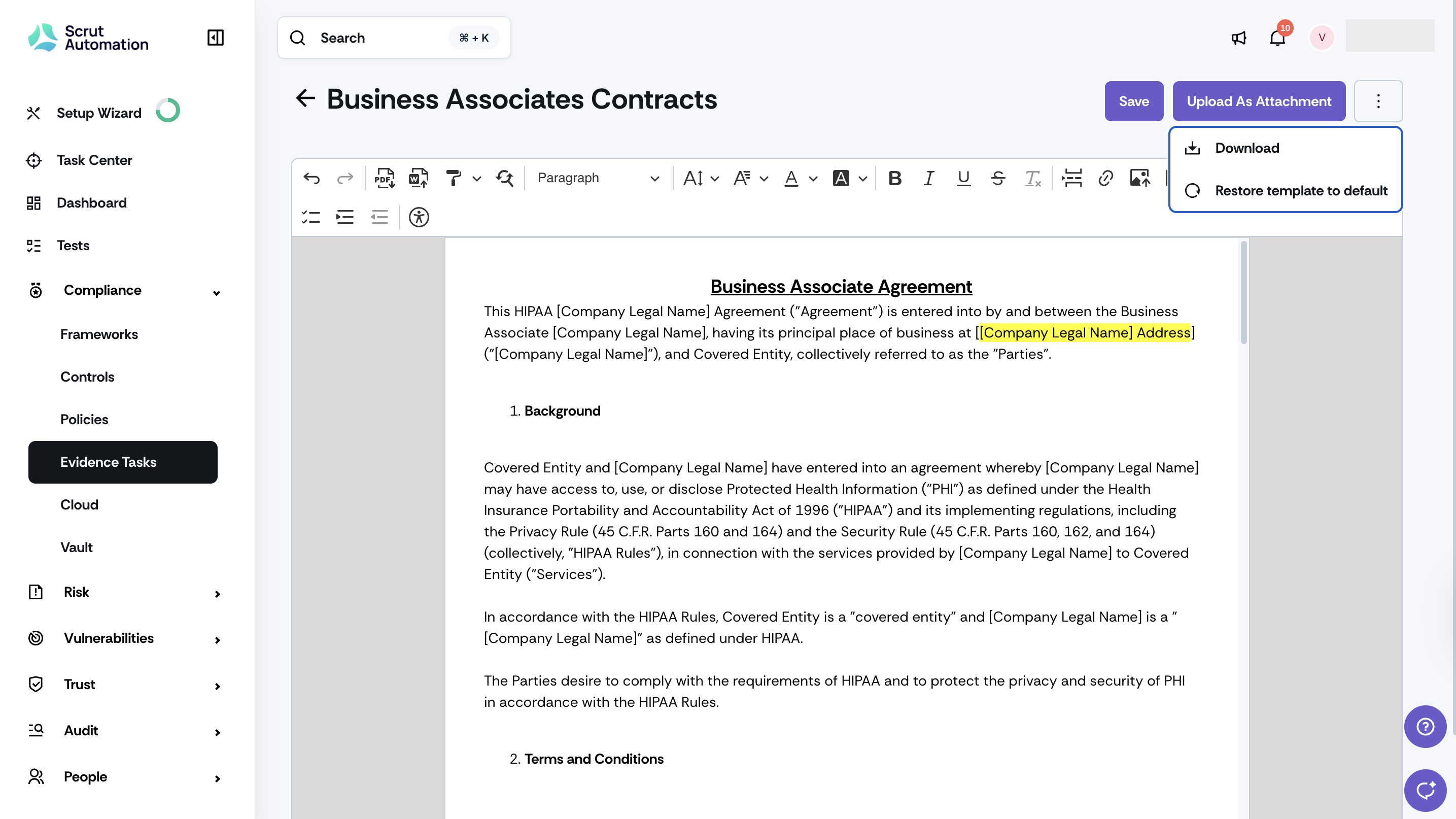
Format content using the available toolbar options: bold, italic, headings, bullet lists, numbered lists, and links.
Click Save to apply your changes, Upload as Attachment to add the edited template to the evidence bucket, or Restore template to default to revert the template to the original format.
Need help?
Your Customer Success Manager (CSM) is always ready to help if you need assistance. Explore all recent product updates → View now.