- DATE:
- AUTHOR:
- The folks at Scrut
Showcase your security posture with professional DAST reports
What's new?
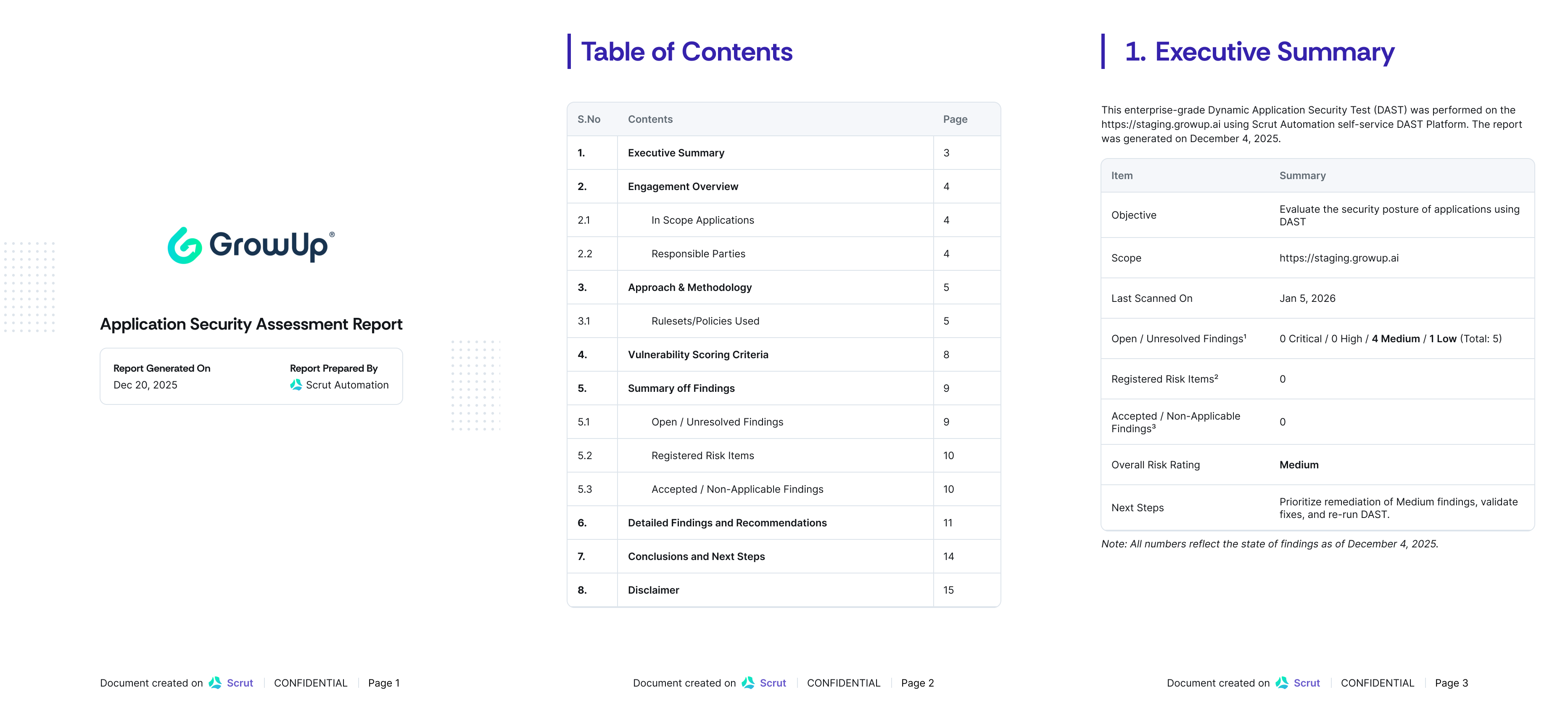
You can now generate comprehensive, professional PDF reports for your DAST findings directly from the Vulnerabilities module in Scrut. Each report includes an executive summary, risk rating, detailed findings with CVSS scores, remediation guidance, and tailored next steps based on your current security posture.
Why was this needed?
DAST findings were previously difficult to share outside the platform, making it hard to share your security posture with executives, prospects, auditors, and external stakeholders. Relying on outdated pen test reports or manual screenshots made it harder to build trust, justify budgets, or demonstrate compliance. Now you can export professional, up-to-date reports that clearly communicate your security posture and build audience trust.
How it works
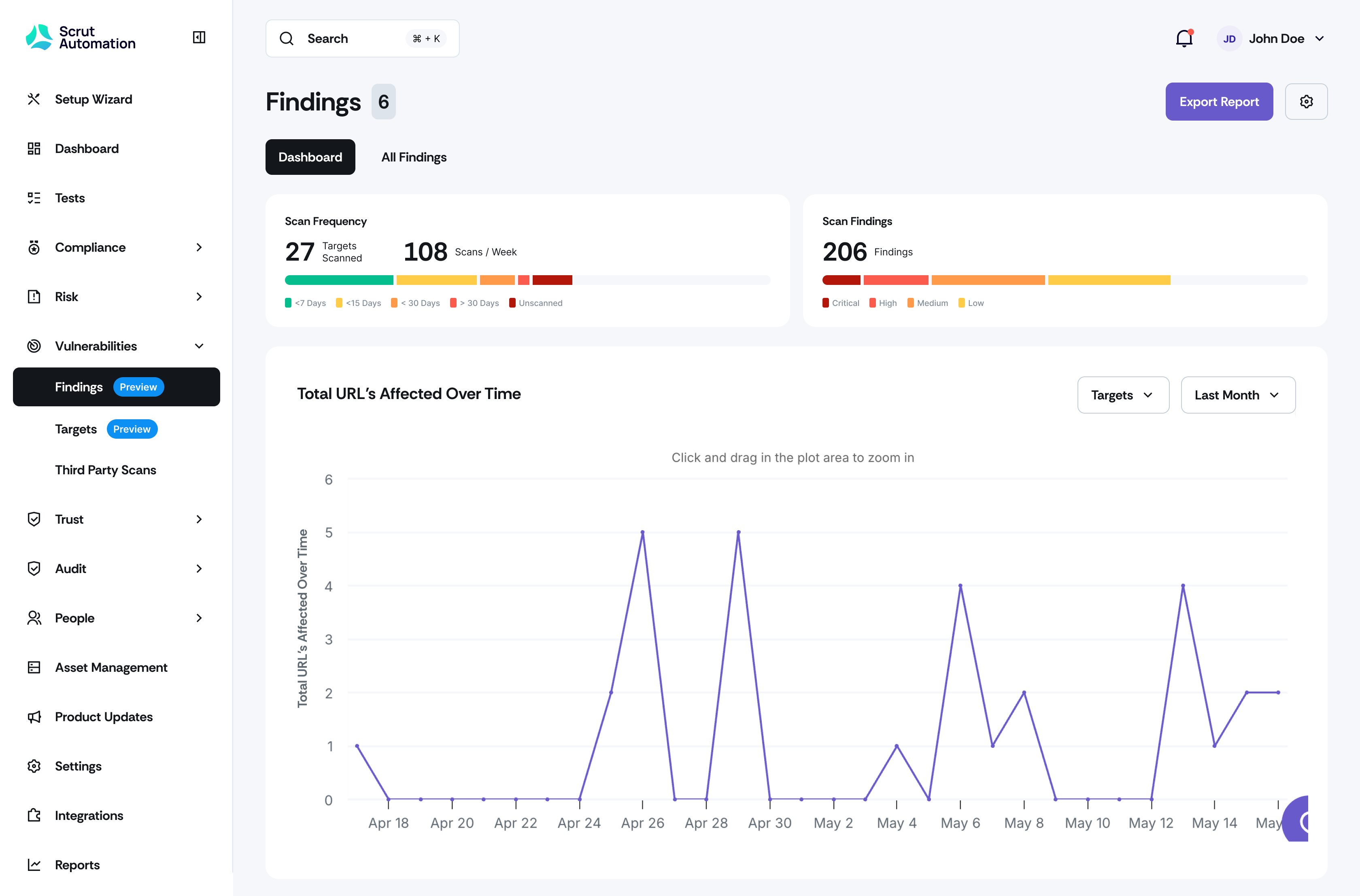
Navigate to Vulnerability Management -> Findings tab or Reports -> Application Security Assessment.
Select your application target and click "Generate Report."
Review the comprehensive PDF report, including:
Executive Summary with overall risk rating and findings breakdown
Engagement Overview with scope and responsible parties
Approach & Methodology covering scan details and rulesets
Summary of Findings organized by status (open, risk-accepted, ignored)
Detailed Findings with severity, CVSS scores, affected resources, and remediation steps
Tailored Next Steps based on your current risk rating
Export and share the report with stakeholders, auditors, or prospects
Need help?
Your Customer Success Manager (CSM) is always ready to help if you need assistance. Explore all recent product updates → View now.