- DATE:
- AUTHOR:
- The folks at Scrut
Spot stale tests faster with scan timestamps and schedules
What's new?
The Tests module now shows the last checked and next scan time for all scheduled tests. Real-time tests are labeled "Continuous monitoring" for clarity. Tests that have not been updated in more than 24 hours are flagged with a warning that includes the reason, such as a sync or integration error. You can also quickly access the details of the last successful scan directly from the Test details page.
Why was this needed?
Previously, it was easy to miss when a test had gone stale. Without clear scan timing and a visible flag for delayed or errored tests, diagnosing issues required manual investigation across settings and integration pages. These updates give you immediate visibility into test freshness and help you troubleshoot faster.
How it works
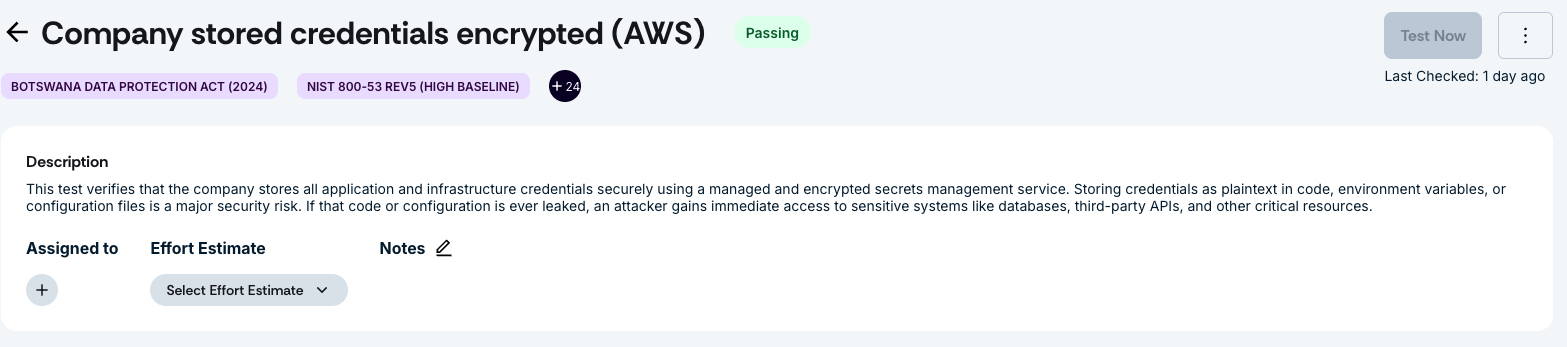
Navigate to Tests -> Automated Tests and open any test to see the last checked and next scan time.
Look for the "Continuous monitoring" label on real-time tests to confirm they are running as expected.
If a test has not updated in more than 24 hours, review the warning flag and the accompanying reason (for example, a sync error or integration error) to identify the issue.
Access the details of the last successful scan from the test details page for faster debugging.
Need help?
Your Customer Success Manager (CSM) is always ready to help if you need assistance. Explore all recent product updates → View now.