- DATE:
- AUTHOR:
- The folks at Scrut
Start the next audit cycle faster by cloning an existing audit
What's new?
You can now clone an existing audit from the Audit Center. Cloning an audit carries forward the framework, audit type, team, entities, and control selections from the original, so you only need to set the date and make any scope adjustments before getting started.
Why was this needed?
Recurring audits, especially those with long control lists or fixed scopes, previously required rebuilding everything from scratch each cycle. This added hours of setup and introduced the risk of accidentally omitting team members or skipping controls that were part of the previous scope. Cloning lets you use a completed or in-progress audit as a reliable template, so your team can move quickly into the new period.
How it works
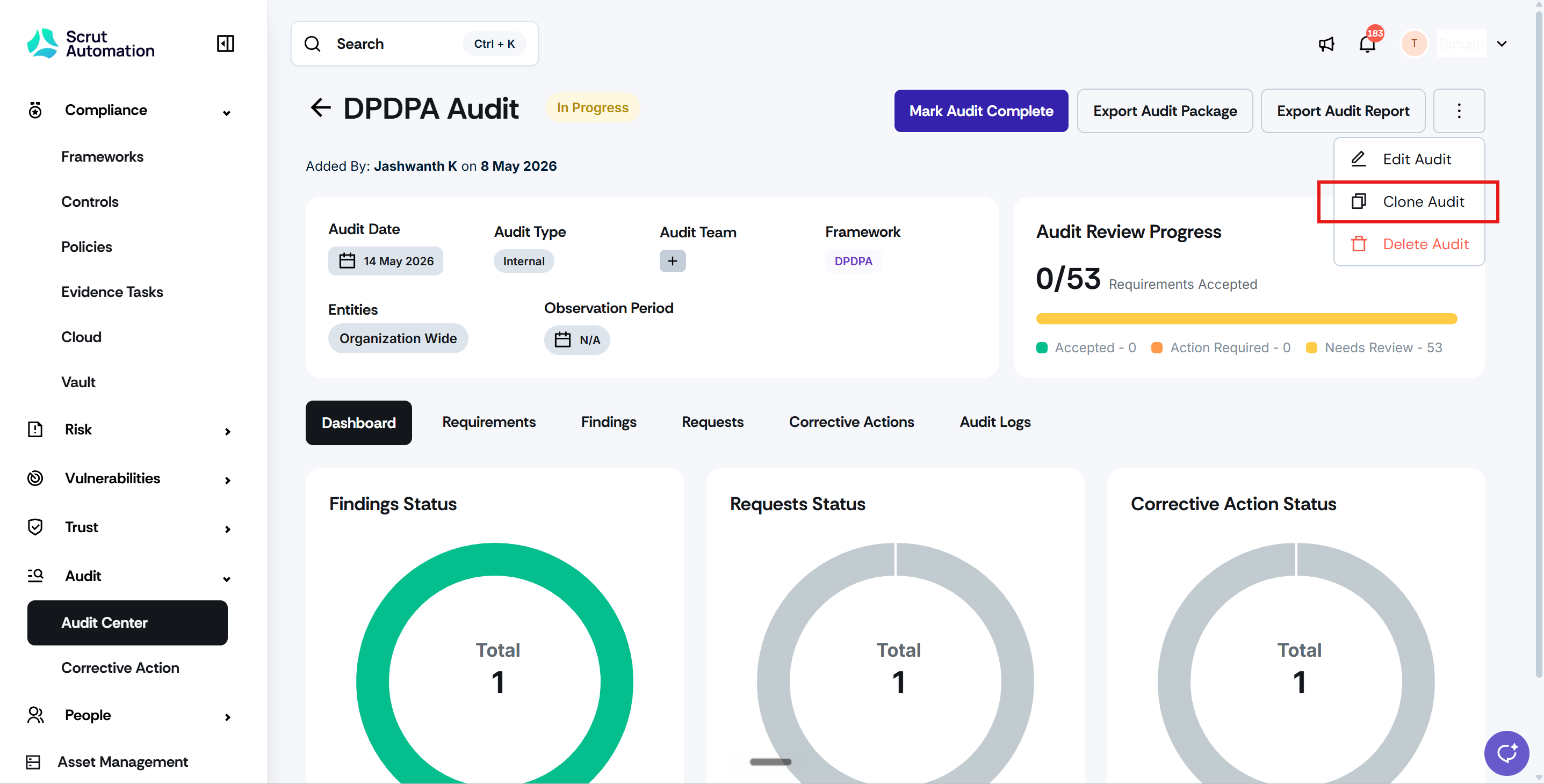
Navigate to Audit -> Audit Center and open the audit you want to use as a template.
On the audit detail page, click the three-dot icon on the top-right and select Clone Audit.
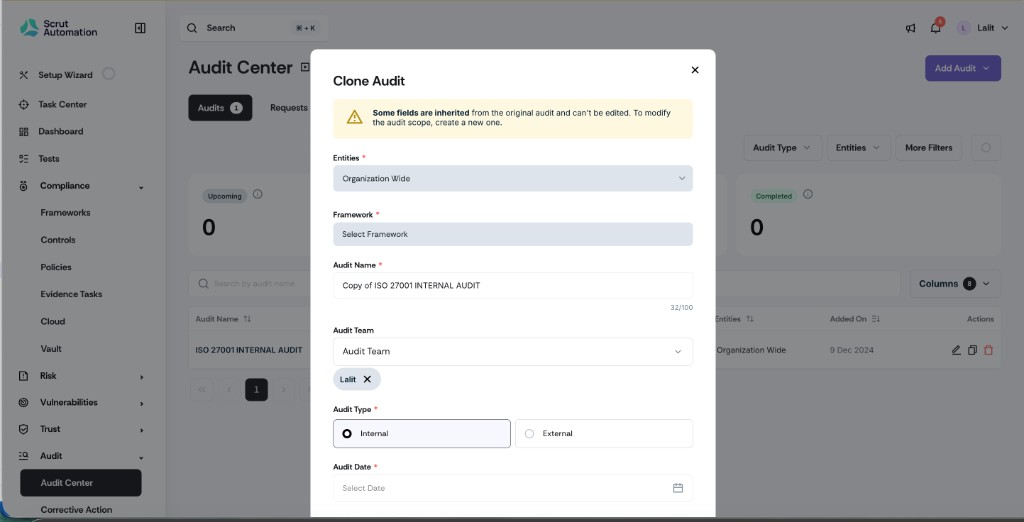
The new audit is created with the name "Copy of [original audit name]." Edit the name as needed before saving.
Review and adjust the audit date and any other details. All other fields, including framework, audit type, team, entities, and controls, are carried forward from the original.
Save the cloned audit and proceed with your new cycle.
Need help?
Your Customer Success Manager (CSM) is always ready to help if you need assistance. Explore all recent product updates → View now.