- DATE:
- AUTHOR:
- The folks at Scrut
Submit and manage VAPT target details directly in Scrut
What's new?
You can now submit and manage all VAPT target details directly in Scrut using guided, purpose-built forms for web, mobile, API, network, and source code targets. The new 'Manage VAPT' section under Settings provides a single, organized space to view, update, and track all VAPT targets, with automatic notifications sent to your CSM, VAPT team, and selected POCs whenever targets are added or updated.
Why was this needed?
Previously, submitting VAPT targets meant juggling emails, clarifying requirements, and tracking details across scattered threads, slowing down kickoffs and risking missing information. With this new feature, all VAPT details are available with the VAPT settings section in Scrut, eliminating coordination overhead and getting your security testing started faster.
How it works
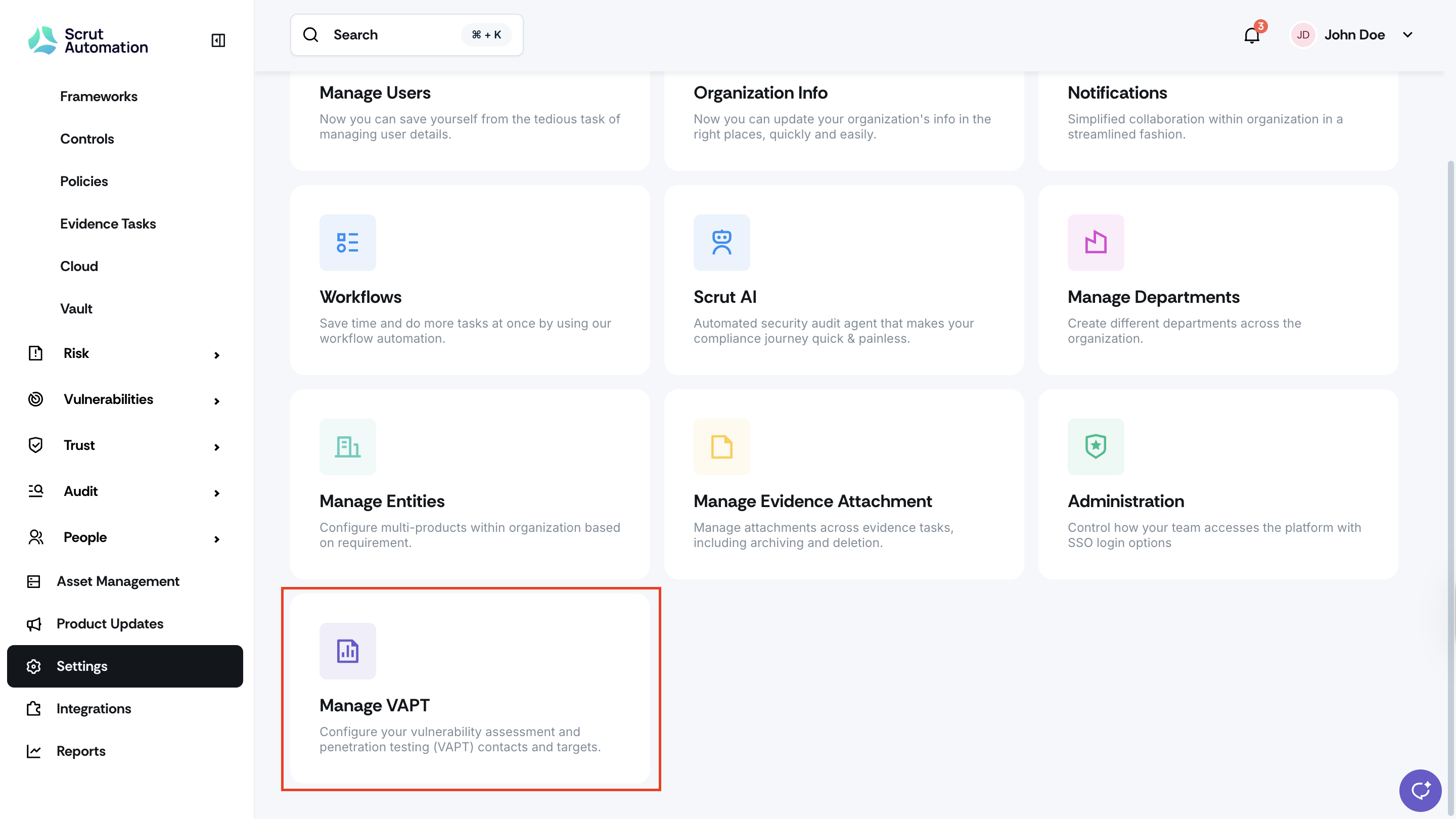
Click Settings on the left navigation panel and open the new Manage VAPT section
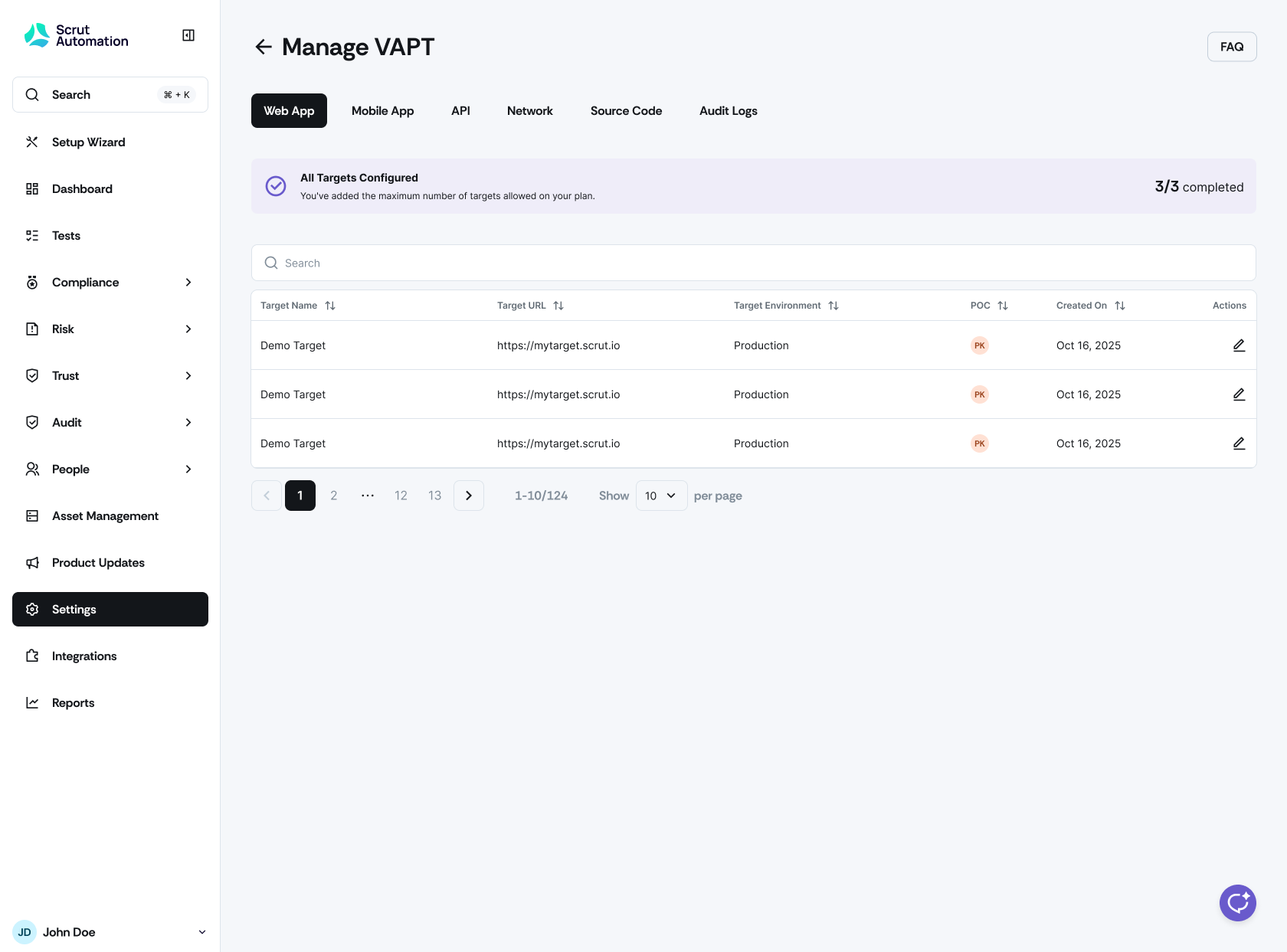
Submit target details using structured forms tailored to each target type (web apps, mobile apps, APIs, networks, source code)
Receive automatic notifications when targets are added or updated, keeping all stakeholders informed
View, update, and track all VAPT information in one centralized location
Need help?
Your Customer Success Manager (CSM) is always ready to help if you need assistance. Explore all recent product updates → View now.