- DATE:
- AUTHOR:
- The folks at Scrut
Trace risks to controls directly from the Controls module
What's new?
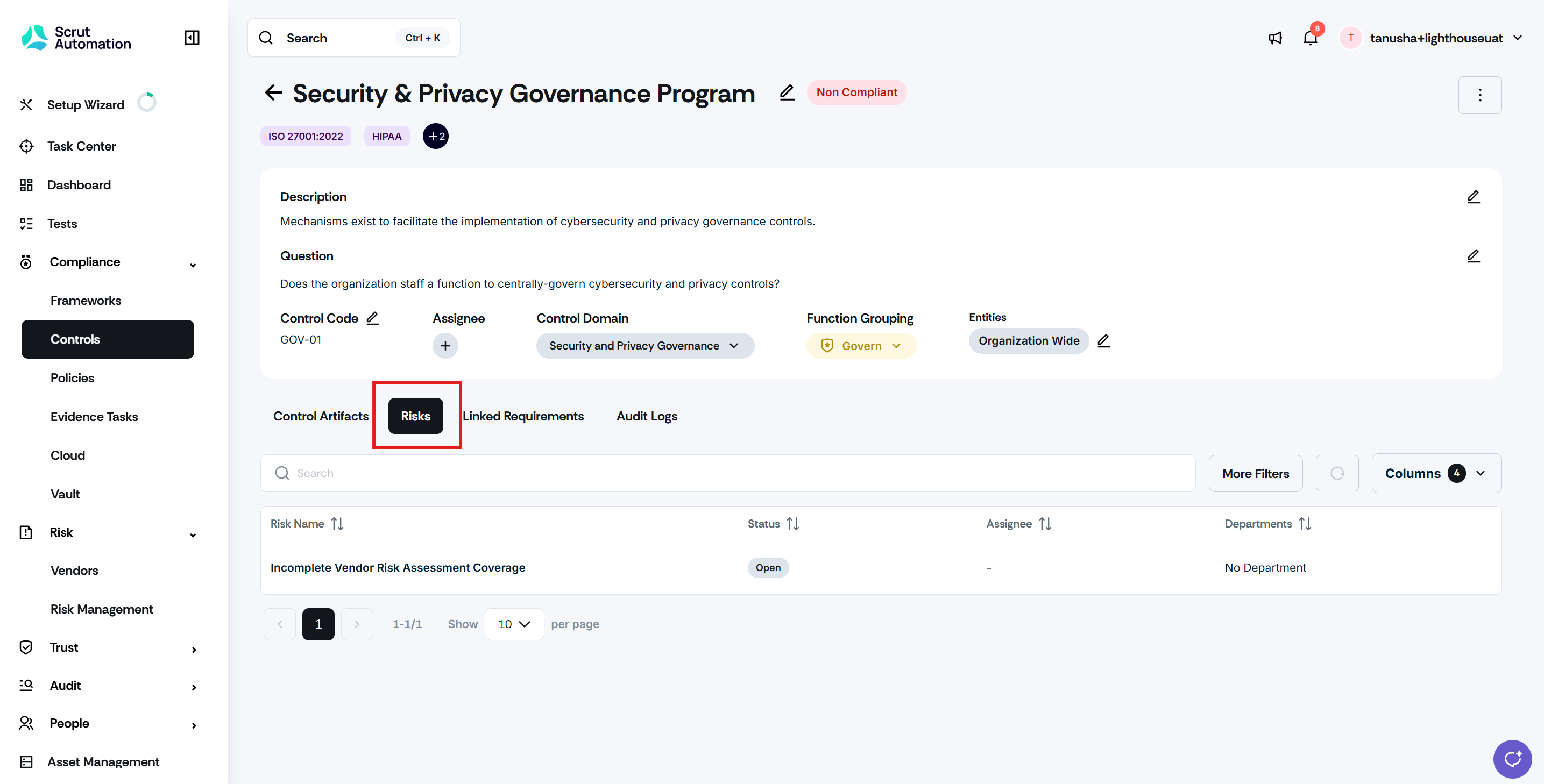
A new Risk tab is now available within the Control details page. You can view all risks linked to a specific control directly from the control's detail view, along with key information for each risk. Clicking on a risk takes you to its detail page, subject to your access permissions.
Why was this needed?
Understanding the relationship between controls and risks previously required navigating between the Controls and Risk modules, which interrupted workflows and made it harder to get a clear picture during audits or risk reviews. With the Risk tab available directly on the Control details page, you can now view linked risks without switching modules.
How it works
Click Compliance -> Controls and open a control to access its detail page.
Click the Risk tab to view all risks linked to that control.
Review key details for each associated risk directly within the tab.
Click a risk to navigate to its detail page for a full view (access is based on your permissions).
Need help?
Your Customer Success Manager (CSM) is always ready to help if you need assistance. Explore all recent product updates → View now.