- DATE:
- AUTHOR:
- The folks at Scrut
Track audit preparation and continuous compliance tasks effortlessly from the Task Center
What's new?
Task Center now includes two new admin-focused tabs:
Audit Prep gives admins a centralized, segmented view of all tasks tied to a specific audit, including visibility into what is pending and who it is assigned to.
Continuous Compliance enables year-round monitoring of tasks to maintain compliance health between audits.
Please note: Both tabs are currently available in closed beta. Reach out to your CSM to enable them for your organization.
Why was this needed?
Audit preparation has historically meant tracking scattered tasks across Policies, Evidence, Tests, Audit Requests, and Findings with no single view of readiness. And once an audit concludes, maintaining compliance hygiene requires ongoing attention that most teams lack the tooling for. These two views give admins the visibility and structure to manage compliance both at audit time and throughout the year.
How it works
Sign in to Scrut and click Task Center on the left navigation panel.
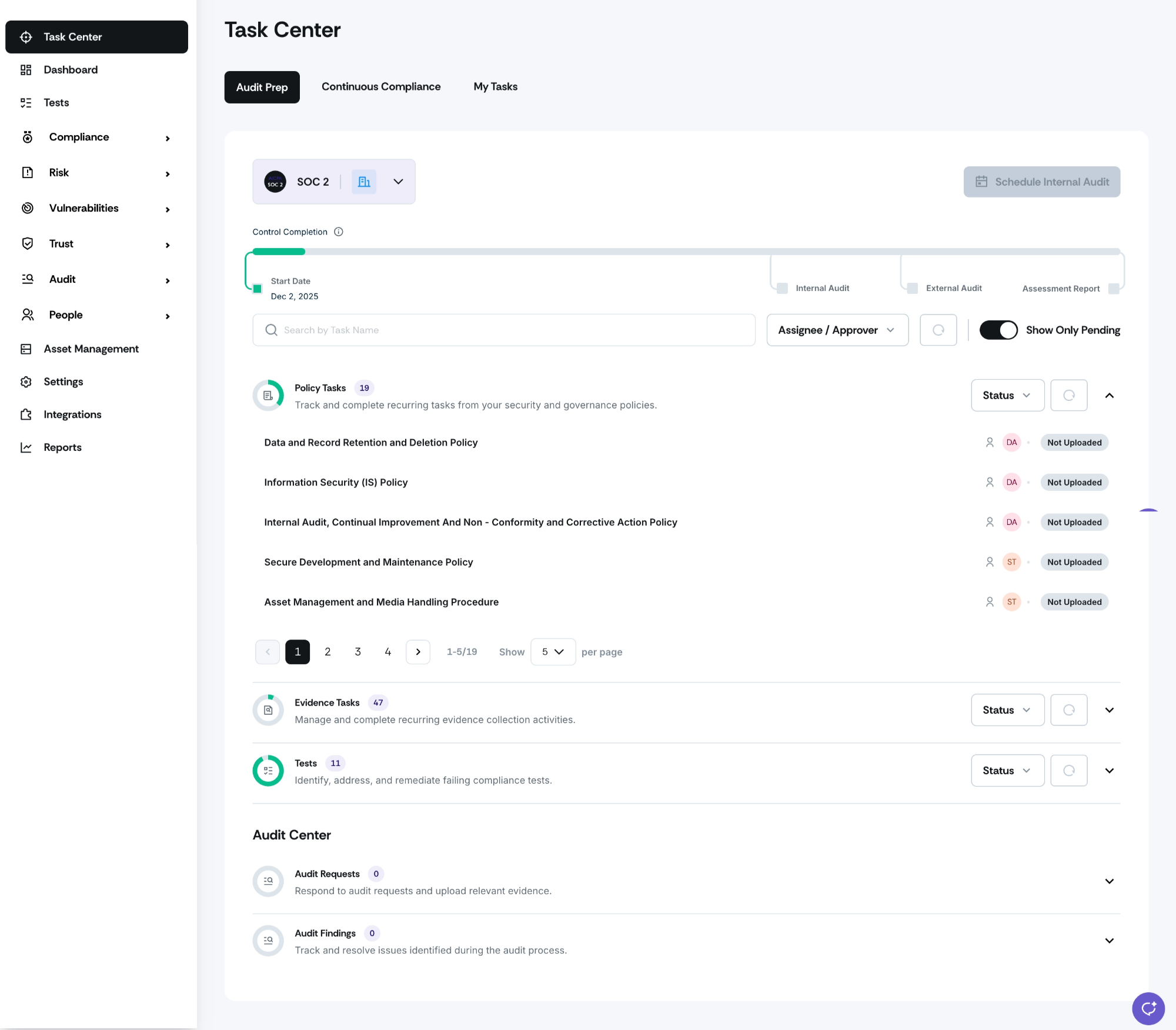
Go to Audit Prep from the Task Center to view all tasks related to a specific audit in one place.
Filter tasks by audit type (for example, ISO 27001) to focus on what matters for that audit.
Identify tasks assigned to specific users and those that are unassigned and available for delegation.
Monitor overall completion percentage to assess audit readiness at a glance.
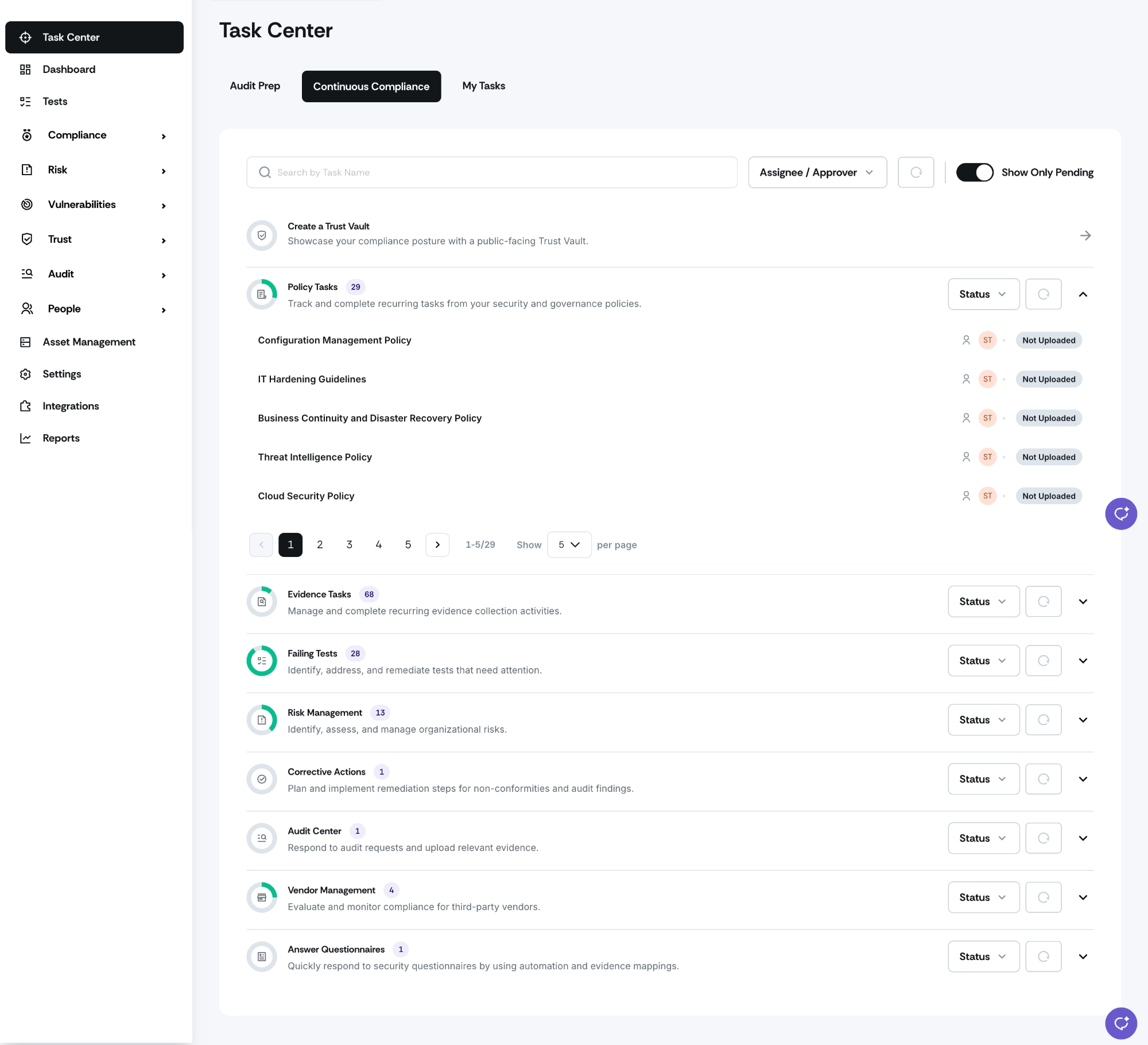
Switch to the Continuous Compliance tab to track ongoing compliance tasks outside of audit cycles.
Expand any module to see the full list of related artifacts, including each item's name, assignee, approver, and status.
Use the search bar to search across all modules simultaneously, not just what is currently expanded.
Filter by Assignee or Approver to locate tasks owned by or waiting on a specific person.
Toggle Show Pending Items on to view only work that still needs action; toggle it off to see both pending and completed items.
Review the dynamic task count on each module to see how many items match your current filters.
Use pagination within expanded modules to move through longer lists; your pagination preference is remembered for the session.
Need help?
Your Customer Success Manager (CSM) is always ready to help if you need assistance. Explore all recent product updates → View now.