- DATE:
- AUTHOR:
- The folks at Scrut
Upload evidence and let Scrut Teammates flag gaps automatically
What's new?
Scrut now surfaces evidence gaps proactively, without requiring a manual check through Scrut Teammates. When you open an evidence artifact, you’ll see a dedicated gap section that highlights issues the system has identified.
Scrut Teammates’ gap analysis can surface missing requirements, partial coverage, inconsistencies, and actionable next steps. You can also refresh the analysis after making changes, give feedback on each result, and mark gaps as done or ignored.
Why was this needed?
Previously, evidence gap detection required a manual action to trigger, which meant gaps could go unnoticed until you specifically checked. By running analysis automatically at upload, Scrut gives you immediate feedback on evidence quality so you can address gaps while the context is fresh, move faster through audit preparation, and go into reviews with higher confidence.
How it works
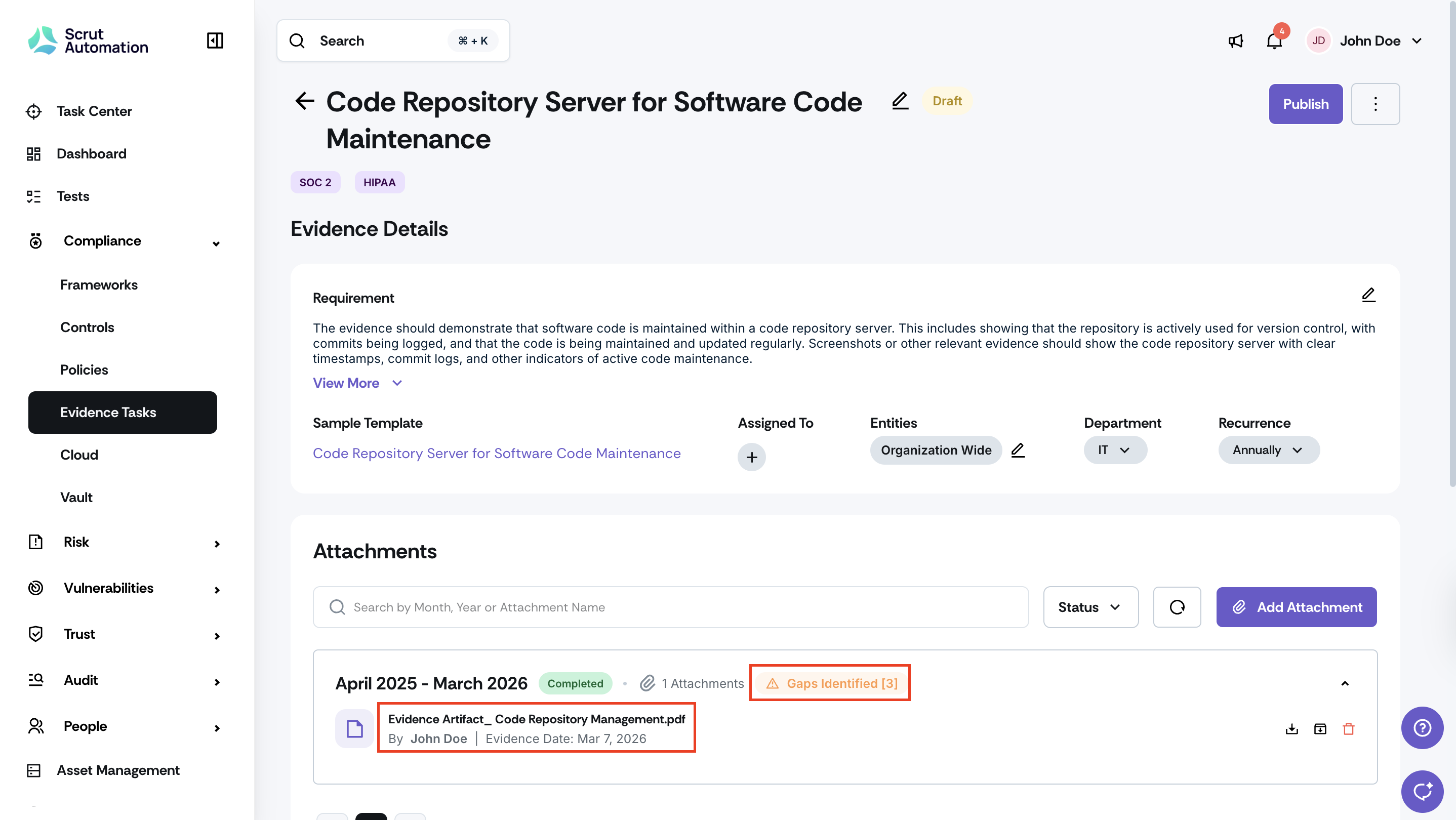
Navigate to Compliance -> Evidence Tasks in Scrut.
Upload or update evidence for the current audit period. The gap analysis will run automatically.
Review the gap analysis output, which includes missing requirements, partial coverage, inconsistencies, and recommended next steps.
Use the Refresh button to re-run the analysis on demand after making changes to your evidence.
Rate each gap analysis output using the thumbs-up or thumbs-down feedback option.
Note: Requires Scrut AI to be enabled for your account.
Need help?
Your Customer Success Manager (CSM) is always ready to help if you need assistance. Explore all recent product updates → View now.