- DATE:
- AUTHOR:
- The folks at Scrut
Upload policy content from Google Drive and edit it directly in Scrut
What's new?
You can now import policy files from Google Drive directly into Scrut. Compatible file formats (.doc, .docx, .pdf) can be opened in Scrut's inline policy editor with formatting preserved, or saved as an attachment. Files that are not editor-compatible, such as spreadsheets, presentations, and images, are added as attachments automatically.
Why was this needed?
Previously, importing a policy from Google Drive into Scrut required downloading it locally and re-uploading it before you could begin editing or mapping it to controls. This added unnecessary friction for teams that work primarily in Google Workspace. With direct Google Drive import, you can pull your existing policies into Scrut faster without cumbersome manual workarounds.
How it works
Go to Compliance -> Policies and create a new policy or open an existing one.
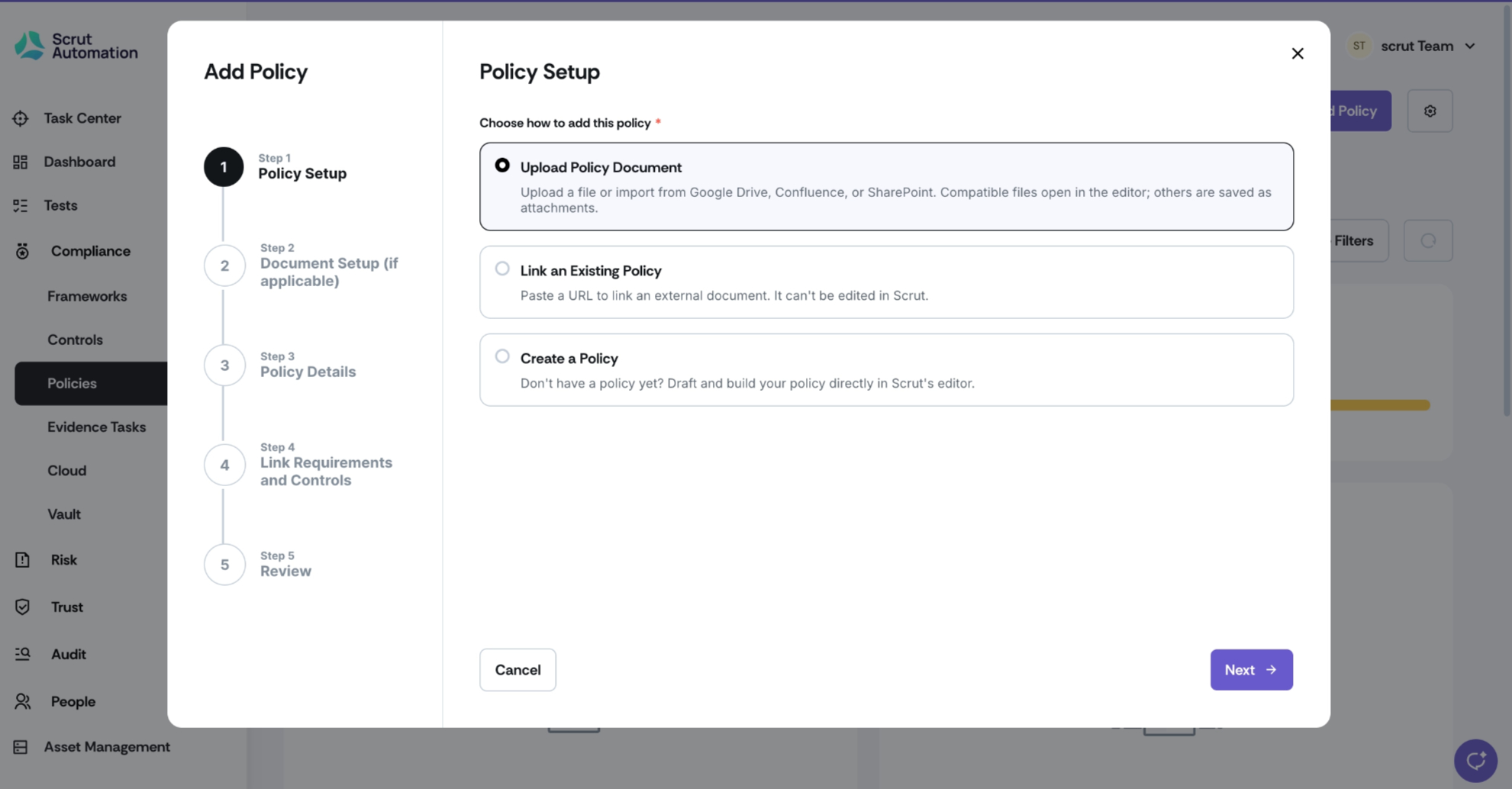
Select the option to sync from Google Drive (available in the Add Policy workflow and on the policy detail page).
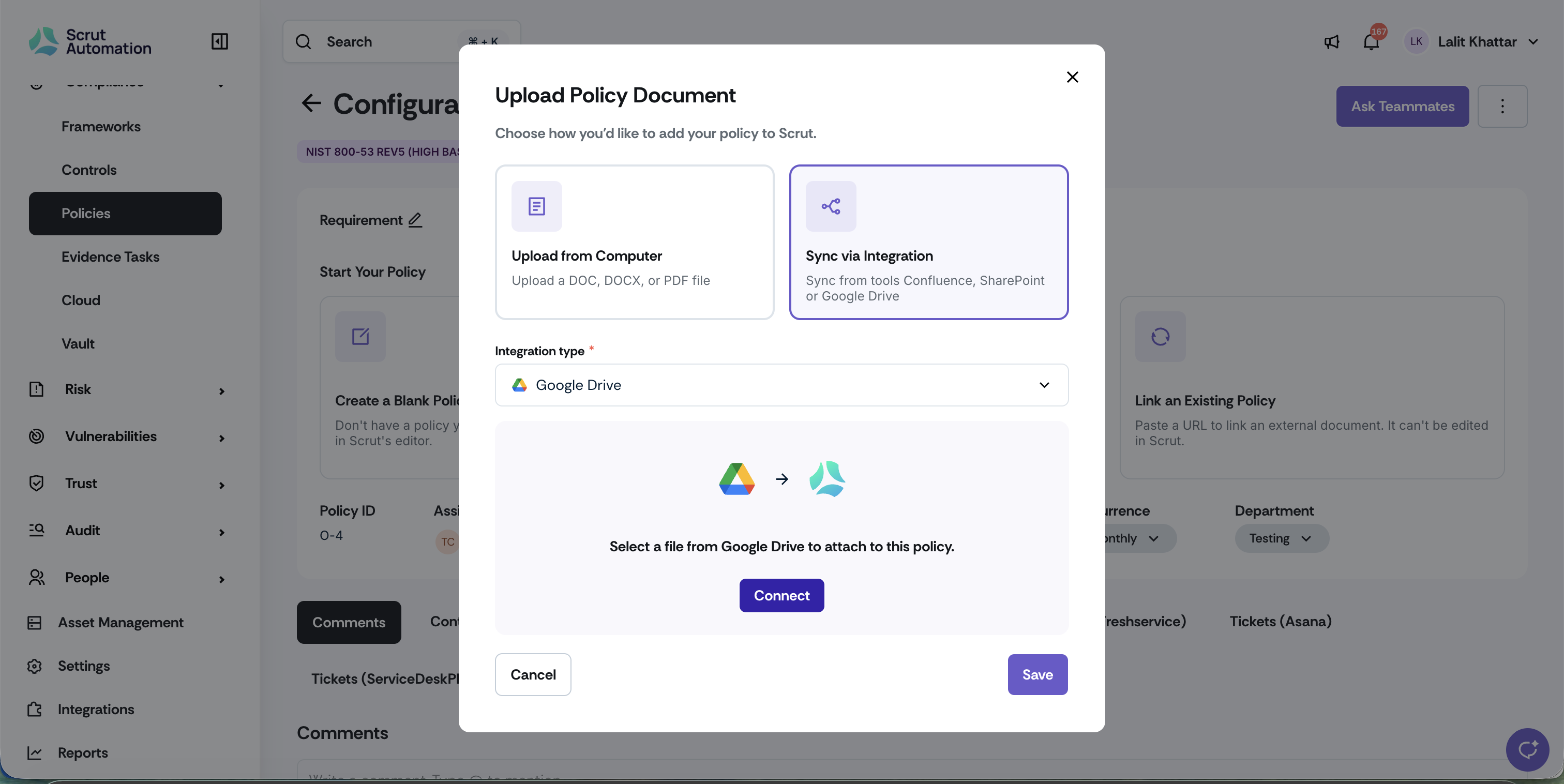
Sign in with Google when prompted. You will only need to do this once per session.
Browse your Drive and select the file you want to import.
For .doc, .docx, and .pdf files, choose Open in editor to import content into the inline editor with formatting preserved, or choose Save as attachment to store the file without editing it.
For file types that are not editor-compatible (.xlsx, .ppt, .jpeg, .png), the file will be added as an attachment automatically.
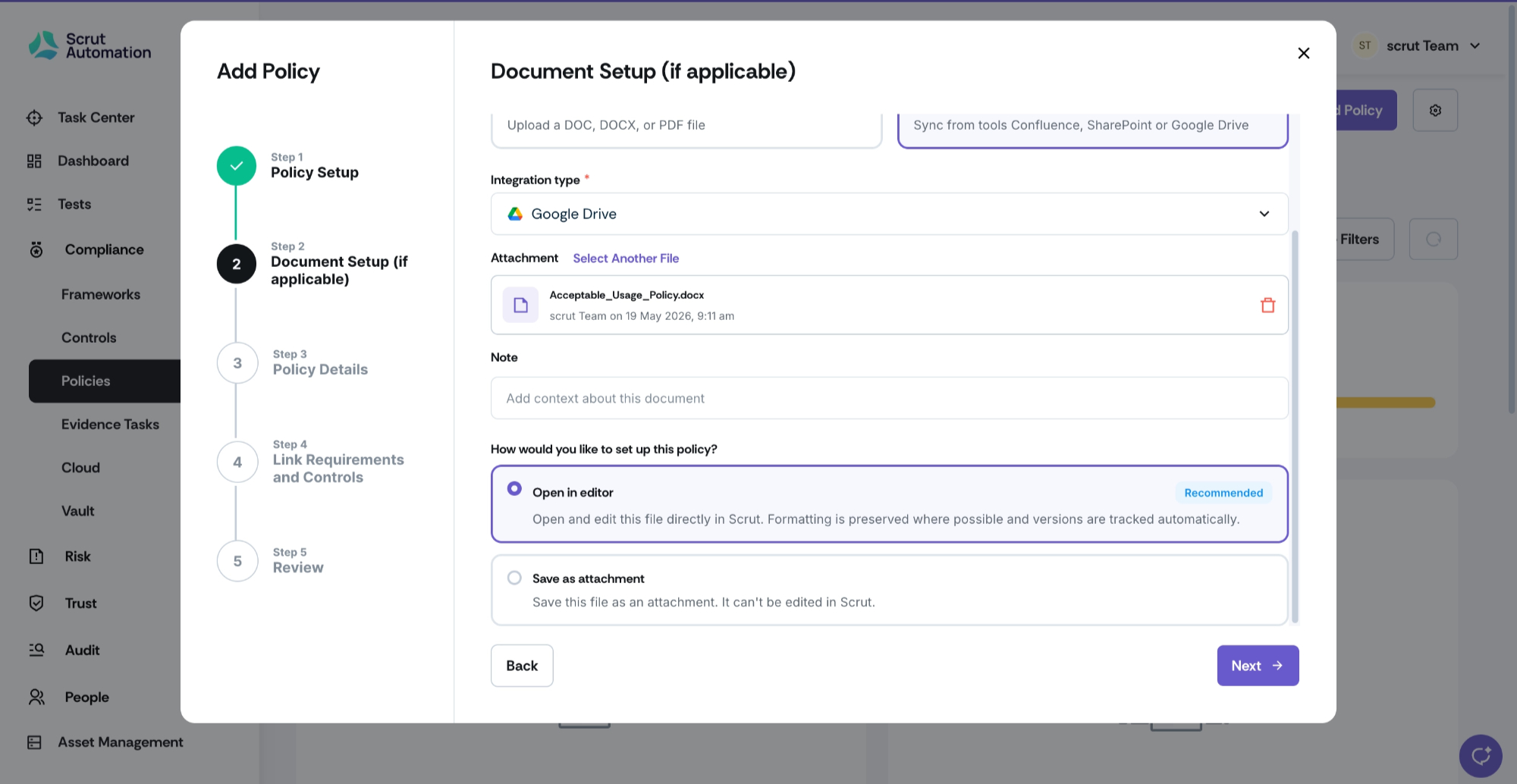
Note: When you sync policies from Confluence or SharePoint, you can add files as attachments only. These files are not editable in the policy editor. Currently, Google Drive is the only integration that allows you to import a compatible file straight into the editor (or choose attachment instead).
Need help?
Your Customer Success Manager (CSM) is always ready to help if you need assistance. Explore all recent product updates → View now.