- DATE:
- AUTHOR:
- The folks at Scrut
Use Questionnaire Autofill sources with better control and clearer guidance
What's new?
We've updated the Questionnaire Automation module with several UX/UI improvements to make it more intuitive and easier to use.
A consolidated Autofill Sources section helps you toggle on/off the different autofill sources, as required.
A guidance banner now appears in the Answer Library when it exceeds 15 entries.
Scrut now prominently recommends using the Chrome extension for importing existing questionnaires.
In-product guidance on when to populate the Answer Library and when to use the Vault
Why was this needed?
The Answer Library works best for a small set of exact boilerplate answers. However, the previous UX did not make this clear, and many teams ended up adding far more entries than the library is designed for.
At the same time, autofill settings were spread across multiple pages, making it hard to see what was actually driving your AI-generated suggestions. These updates simplify managing your knowledge sources and reduce the time you spend on entering data manually.
How it works
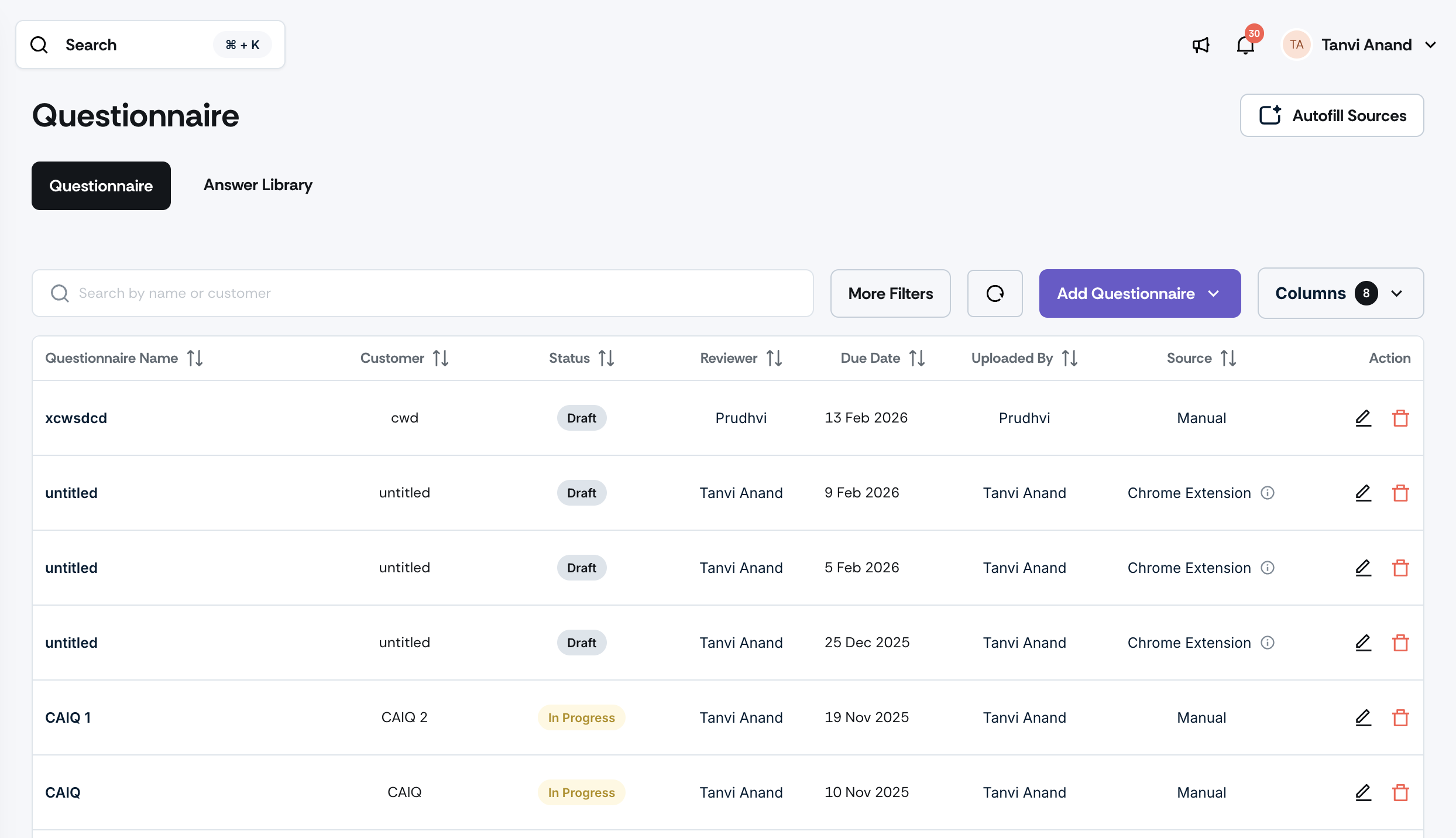
Navigate to Trust → Questionnaire → Autofill Sources and configure which sources feed into autofill.
Build your Answer Library selectively. When your Answer Library exceeds 15 entries, a banner will appear automatically, directing you toward the Vault or Chrome extension import as more scalable alternatives.
Click 'Add new questionnaire' to see the Chrome extension import option, surfaced as a prominent option for bulk-importing from existing online portals.
Note: Refer to this help guide for the recommended workflow for using the updated Questionnaire Autofill feature.
Need help?
Your Customer Success Manager (CSM) is always ready to help if you need assistance. Explore all recent product updates → View now.