- DATE:
- AUTHOR:
- The folks at Scrut
Workflow improvements for more consistent approvals and actions
What's new?
We've introduced three new UI changes to make your workflows more intuitive and predictable. It includes:
The Approval toggle is now consistently located in the Settings tab for all relevant modules
Clear primary action CTAs
Consistent confirmation modals across the platform
Why was this needed?
Previously, approval settings were scattered across different locations, action buttons appeared inconsistently throughout the interface, and confirmation modals lacked clear messaging. This fragmented experience made the platform harder to navigate, slowed workflows, and left users uncertain during critical operations. These updates create a more predictable, consistent interface that reduces friction, saves time, and gives you confidence when configuring settings or taking important actions.
How does it work?
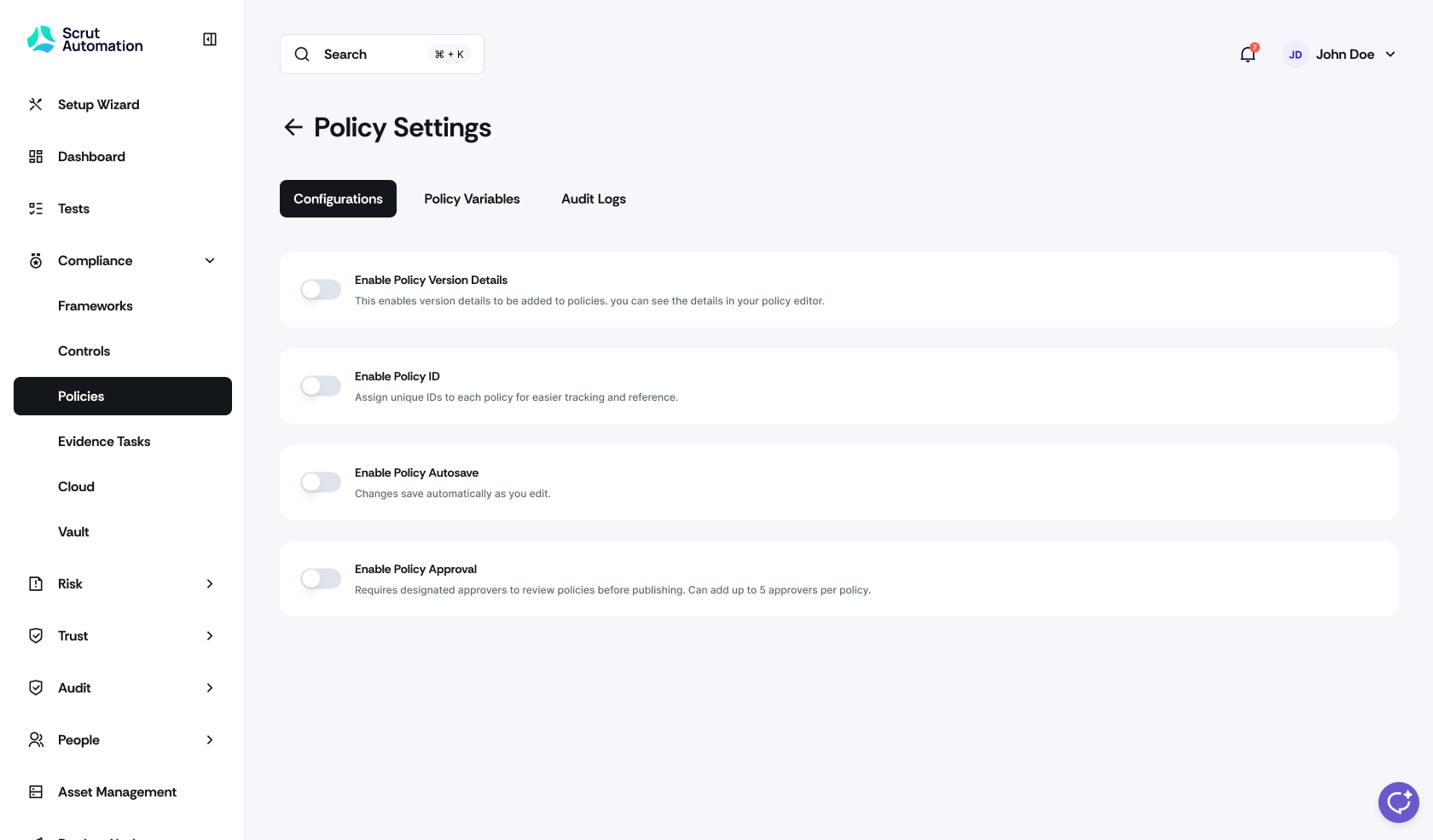
Approval Settings in Policy
Click Compliance -> Policy in the left navigation menu, then click Settings.
Navigate to the Configurations tab to toggle the Enable Policy Approval workflow on or off.
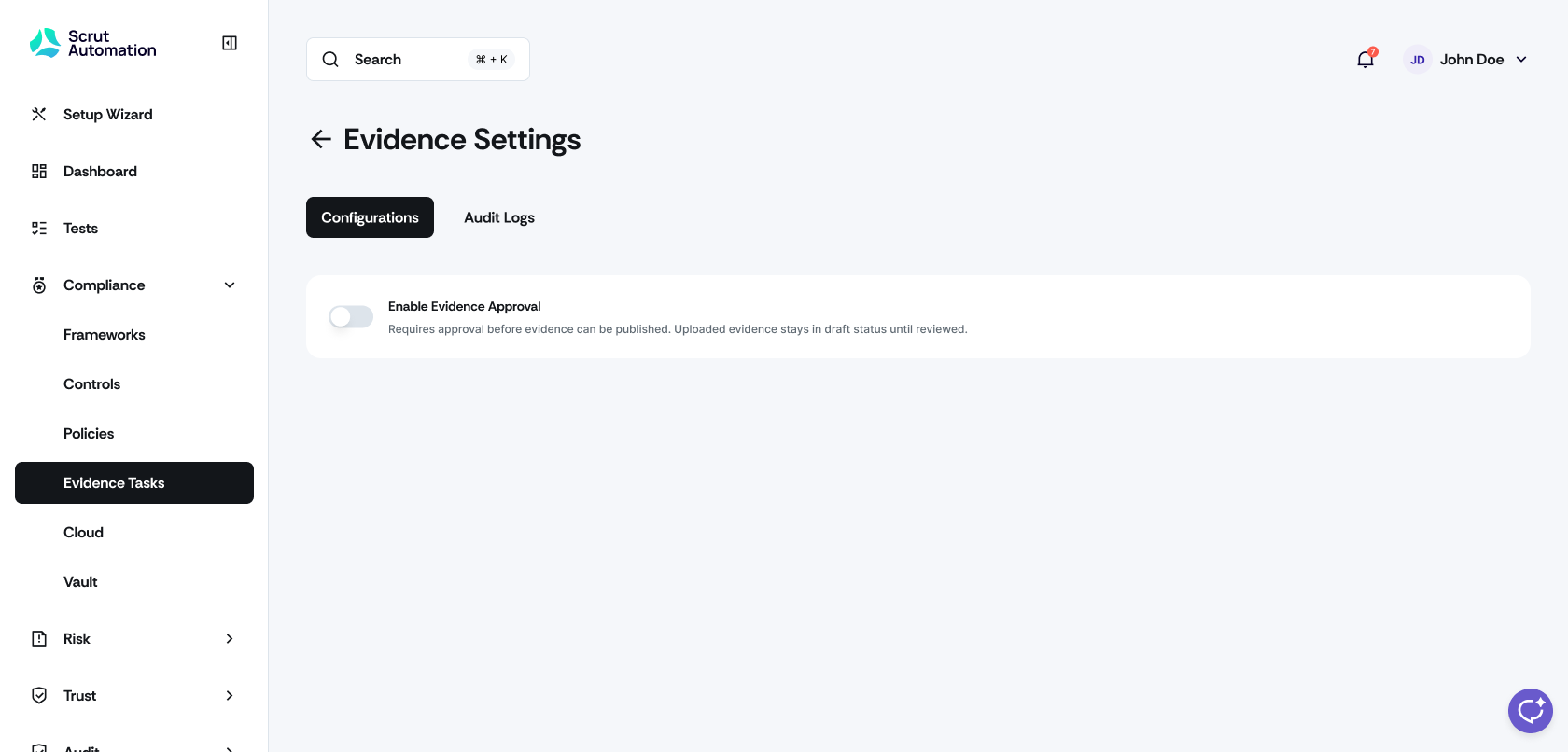
Approval Settings in Evidence
Click Compliance -> Evidence Tasks in the left navigation menu, then click Settings.
Navigate to the Configurations tab to toggle the Enable Evidence Approval workflow on or off.
Clearer primary action CTAs
Module-wide actions (such as Add Risk, Add Policy, or Add Evidence) now appear in the top-right area of the module view, while tab-specific actions live in their respective tabs.
Improved modal confirmations
Delete modals now explicitly communicate what's being removed, its impact, and whether the action can be undone.
Discard modals better explain what content will be lost and what happens next.
Need help?
Your Customer Success Manager (CSM) is always ready to help if you need assistance. Explore all recent product updates → View now.